
Attribute Indexes
An attribute index lets softcode find the objects that hold a value in an attribute without
looking at every object in the game. lsearch() with an EVAL class reads each object in turn,
which gets slow on a big game. indexed() reads the attribute’s index instead, so its time grows
with the number of objects it finds, not with the number of objects in the game.
| You are | You want to | Read |
|---|---|---|
| Staff | put an index on an attribute | Adding an index |
| A softcode author | find objects by an attribute’s value | Finding objects |
| A package author | ship an index with a package | Indexes in a package |
| Staff | see how much room the indexes take | Storage |
In the game, help @attribute index and help indexed() cover the same commands in short form.
Adding an index
Section titled “Adding an index”An index belongs to a standard attribute, one in the @attribute table. Make the attribute
standard with @attribute/access if it is not already, then index it with @attribute/index:
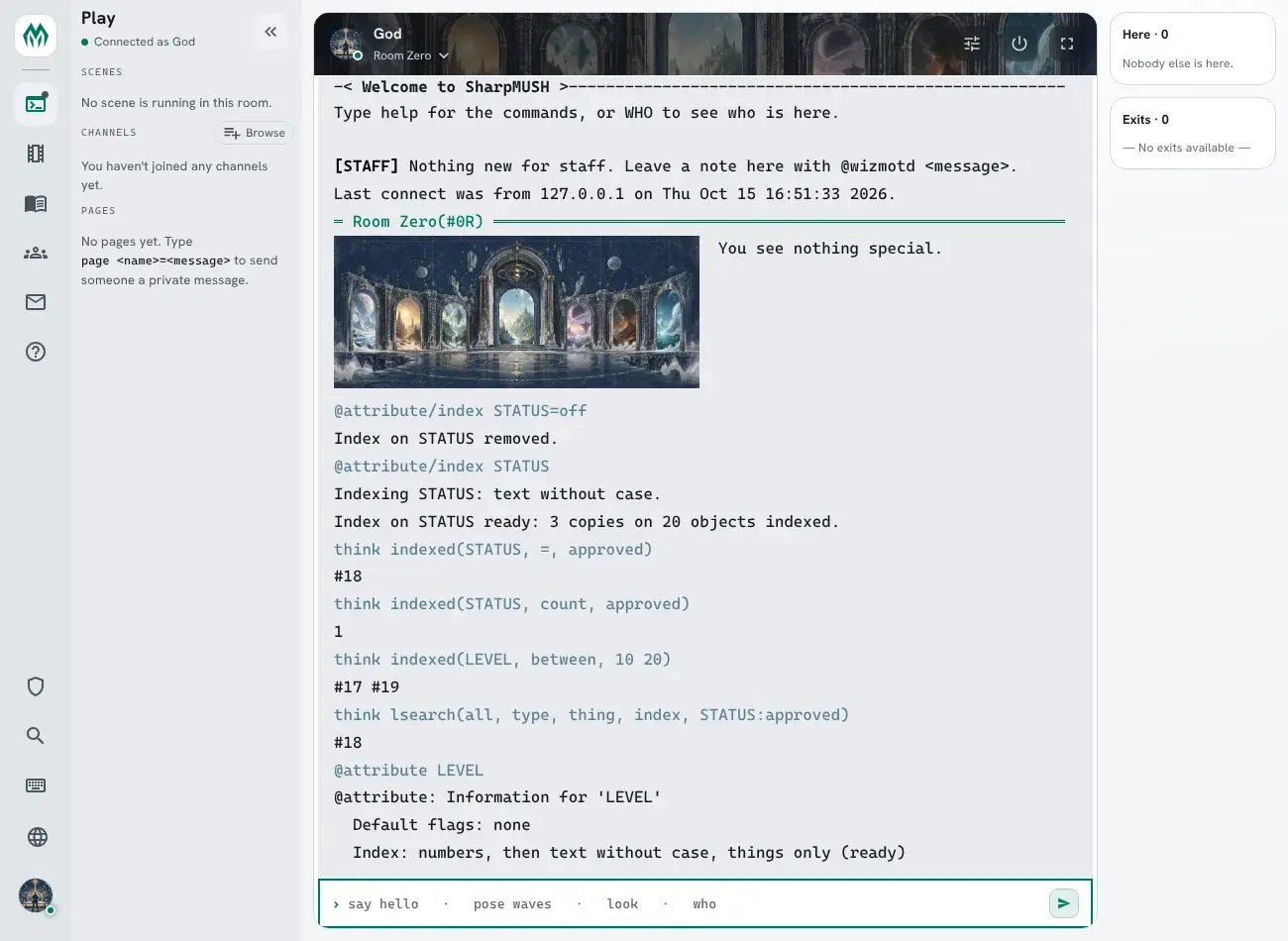
> @attribute/access STATUS=none> @attribute/index STATUSIndexing STATUS: text without case.Index on STATUS ready: 3 copies on 20 objects indexed.Output: the first line says how the index compares values. The second says it is ready, and how many copies of STATUS it found among how many objects.
Only those with the config.admin permission can add or remove an index. An attribute whose
default flags include internal cannot be indexed, and nor can one whose name is longer than 1,024
bytes.
Options
Section titled “Options”@attribute/index <attribute>=<options> takes these words, each optional:
| Option | What it does |
|---|---|
exact | Values compare as written. Without it, Approved and approved are the same value. |
numeric | Values that are numbers come first, in numeric order, so 9 comes before 10 and 05 equals 5. Other values follow as text. |
split | Each word of a value is listed on its own, so an object is found by any one of them. |
split:<delimiter> | The same, splitting on the one character given, such as split:|. |
type:<type> | Only copies on players, rooms, things or exits. |
> @attribute/access LEVEL=none> @attribute/index LEVEL=numeric type:thingIndexing LEVEL: numbers, then text without case, things only.Index on LEVEL ready: 0 copies on 15 objects indexed.Output: LEVEL is indexed for things only, numbers in numeric order. No thing had a LEVEL yet, so the index starts empty and fills as values are set.
What gets indexed
Section titled “What gets indexed”- Only an object’s own copy of the attribute. A value it inherits from a parent is not listed.
- An empty value is never listed, and nor is a copy flagged
internal. - The index keeps the first 400 bytes of a value. A longer value is still found and compared in full, but values that share their first 400 bytes come back in dbref order among themselves.
- Every write keeps the index up to date as it happens: setting, changing or clearing the attribute, and destroying the object.
Building, restarts and removing
Section titled “Building, restarts and removing”A new index is built in the background, a batch of objects at a time. @attribute/index waits for
it as long as a command may, says how far it got, and tells you when it is ready. A restart picks
the build up where it stopped. Until it is ready, indexed() answers #-1 INDEX BUILDING; it never
falls back to a slow search.
@attribute <attribute> shows the index and whether it is ready. @attribute/decompile writes the
@attribute/index line that makes it again on another game:
> @attribute LEVEL@attribute: Information for 'LEVEL' Default flags: none Index: numbers, then text without case, things only (ready)> @attribute/decompile LEVEL@attribute/decompile: 1 attributes match pattern 'LEVEL'@attribute/access LEVEL=@attribute/index LEVEL=numeric type:thing@attribute/index <attribute>=off takes the index off and deletes it. The values on objects stay.
> @attribute/index STATUS=offIndex on STATUS removed.Finding objects
Section titled “Finding objects”indexed(<attribute>, <operation>, <value>[, <start>, <count>]) returns the dbrefs of the objects
whose own copy of the attribute matches. With three objects whose STATUS is approved, Approved
and pending:
> think indexed(STATUS, =, approved)#17 #18> think indexed(STATUS, count, approved)2> think indexed(STATUS, prefix, pen)#19Output: the index ignores case, so both #17 and #18 match approved. count gives the number of
matches, and #19 is the only value starting with pen.
| Operation | Finds |
|---|---|
= | values equal to <value> |
prefix | values starting with <value> |
<, <=, >, >= | values below, at or below, above, at or above <value> |
between | values from the first to the second of the two words in <value>, both included |
first | every value, lowest first; <value> is left empty |
last | every value, highest first; <value> is left empty |
count | how many values are equal to <value>, as a number |
The answer comes in the index’s order: by value, lowest first, and objects with the same value in
dbref order. <start> (counting from 1) and <count> take a page of it. With the LEVEL index above
and levels 12, 9 and 20 on #17, #18 and #19:
> think indexed(LEVEL, between, 10 20)#17 #19> think indexed(LEVEL, last, , 1, 2)#19 #17Output: the first line lists the objects whose LEVEL is from 10 to 20, lowest first. The second takes the two highest levels, highest first.
An attribute with no index answers #-1 ATTRIBUTE NOT INDEXED.
With lsearch()
Section titled “With lsearch()”lsearch() and @search take an INDEX class, <attribute>:<value>. The search starts from the
objects the index lists under that value, and the other classes narrow it from there:
> think lsearch(all, type, thing, index, STATUS:approved)#17 #18Output: the things whose STATUS is approved, found through the STATUS index.
What a player sees
Section titled “What a player sees”Every match is checked the way get() checks an attribute. An object is listed only when you could
read its copy of the attribute, so a mortal_dark copy is left out for mortals, and so is a copy on
an object you cannot examine unless the attribute is visual. <start> and <count> count only
what you could see, and for anyone but a wizard count counts only the copies they could read.
Indexes in a package
Section titled “Indexes in a package”A package can ship an index with its attribute entries, as an index: on the entry with
format: 1.8. Attribute indexes (format 1.8)
gives the key, its options and what install, upgrade and uninstall do with it.
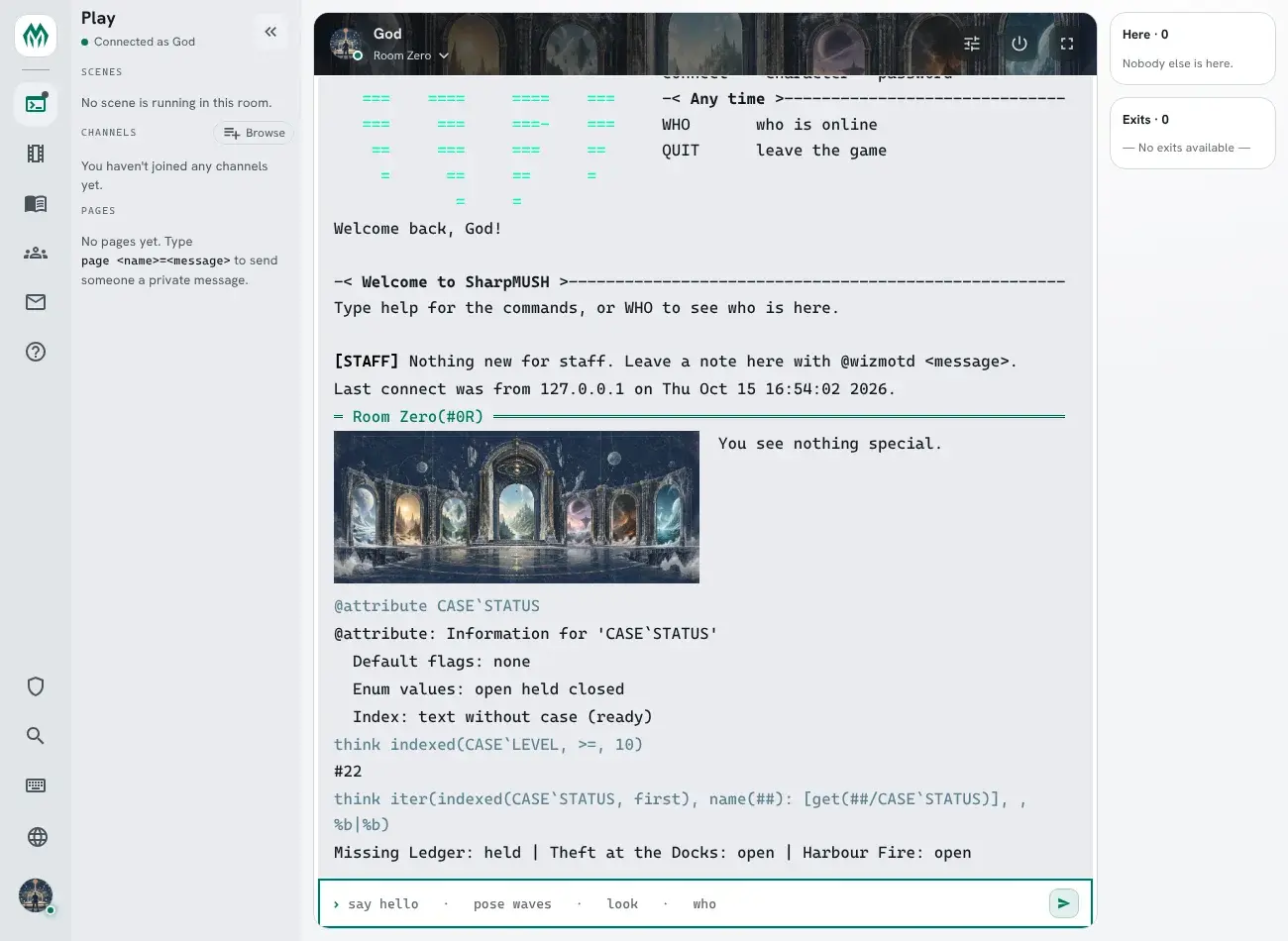
After the install the indexes are ready to use:
Storage
Section titled “Storage”Each index takes room in the world’s file: one row for each indexed copy, or for each element of
a copy in a split index. A row takes about 50 bytes for a short value and more for a long one,
since the index keeps up to 400 bytes of each value, in two places. @storage lists every index with its rows, its pages, its size and whether it is still
building:
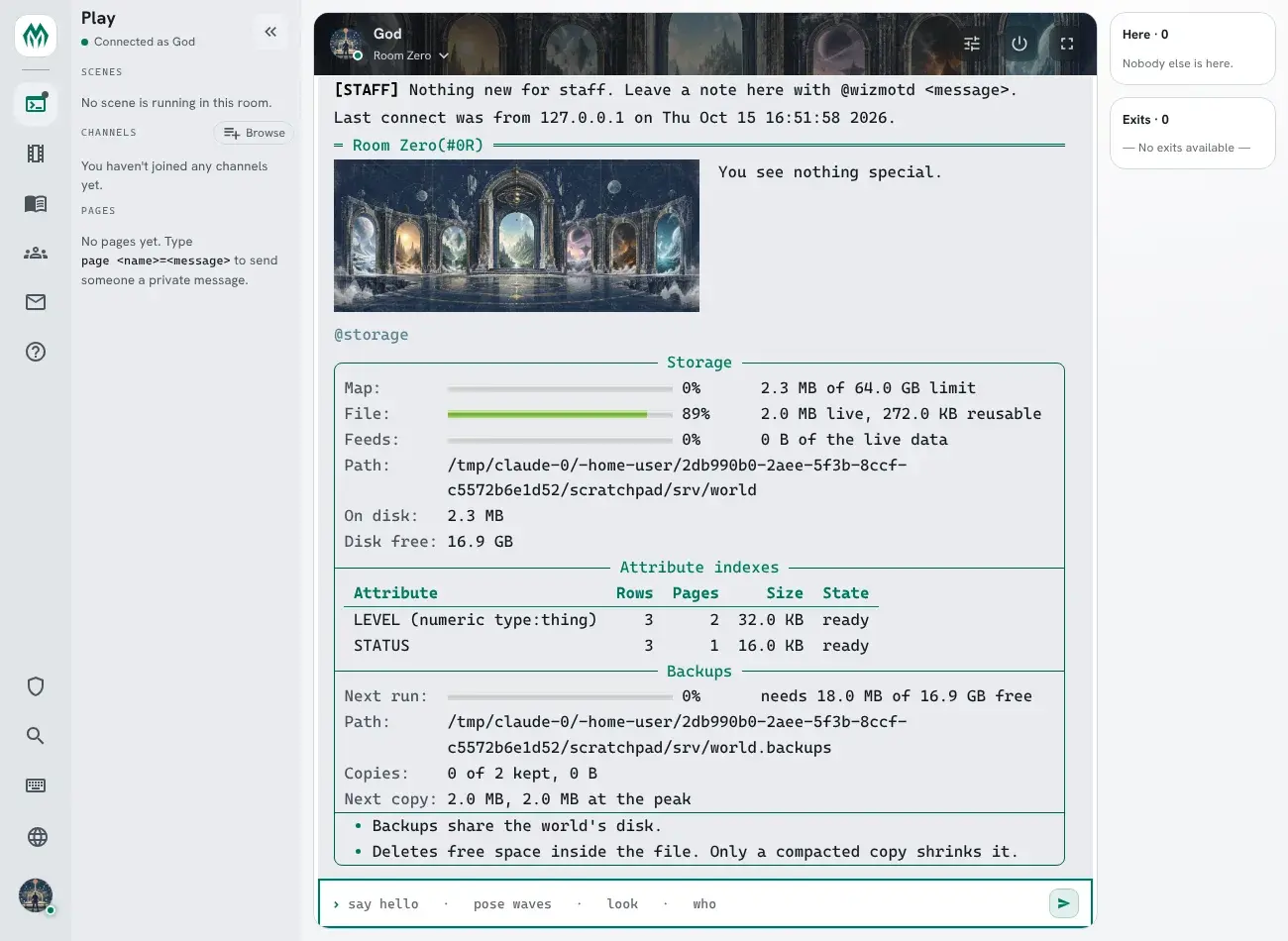
The same figures are on the server’s metrics as
sharpmush_storage_attribute_index_bytes{index="<attribute>"}.