
Highlights
Highlights let players mark poses they liked as favourites. The poses favourited most make the game’s highlights: a list in the game and a page on the website, each pose credited to the character who wrote it.
The highlights show no counts and rank no players. A pose is there because someone liked it, and nobody can see how many people did.
| You are | You want to | Read |
|---|---|---|
| A player | favourite a pose, or take it back | Favouriting a pose |
| A player | read the highlights or your favourites | Reading the highlights |
| A player | use the website | On the website |
| Staff | install it, change how far back it reaches | Running Highlights |
In the game, +help scene highlights has the same commands in short form. Highlights need
the scene system: see Scene Pose Types for how scenes record
poses.
Favouriting a pose
Section titled “Favouriting a pose”Every pose a scene records has a number. It is on the line over the pose in +scene/recall
and +scene/log. +scene/fav <number> makes it one of your favourites:
> +scene/fav 3[HIGHLIGHTS] Done: Pose 3 by The Widow Carrow (Ada) is one of your favourites now.When a pose was written under another name, such as a persona, both names show: the name it went out under, then the character’s own.
+scene/unfav <number> takes it back:
> +scene/unfav 3[HIGHLIGHTS] Done: Pose 3 is no longer one of your favourites.Some poses cannot be favourited:
> +scene/fav 1[HIGHLIGHTS] Warning: Pose 1 is your own. Favourites are for other players' poses.> +scene/fav 3[HIGHLIGHTS] Warning: Pose 3 is already one of your favourites.> +scene/unfav 3[HIGHLIGHTS] Warning: Pose 3 is not one of your favourites.A pose in a private scene you are not part of reads as No such pose, the same as a number
no scene has. Favouriting needs an approved character, as joining a scene does.
The mark on a favourite
Section titled “The mark on a favourite”Once a pose is one of your favourites, the line over it says so, beside its scene, wherever the game draws it for you:
> +scene/recall 1=3═╡ Bo · pose 5 ╞══════════════════════════════════════╡ Scene 1 · favourite ╞═Bo leans in the doorway, rain running off his hat brim, and says nothing at all for a long moment. Then: "Someone lit it tonight. I saw it from the water."═╡ Mira · pose 6 ╞════════════════════════════════════════════════╡ Scene 1 ╞═Mira goes very still, the candle flame bending toward the open door.Only you see your own mark. Others see favourite only on the poses they favourited.
Reading the highlights
Section titled “Reading the highlights”+scene/highlights shows the poses favourited most, from the last four weeks. Among poses
favourited by as many players, the newer pose comes first:
> +scene/highlights═╡ Highlights ╞═══════════════════════════════════════════════════════════════The poses players favourited most, from the last 4 weeks.═╡ The Widow Carrow · pose 3 ╞════════════════════════╡ Scene 1 · favourite ╞═The Widow Carrow pulls her shawl tight and does not laugh. "He climbed them. I carried the oil."═╡ Bo · pose 5 ╞══════════════════════════════════════╡ Scene 1 · favourite ╞═Bo leans in the doorway, rain running off his hat brim, and says nothing at all for a long moment. Then: "Someone lit it tonight. I saw it from the water."═╡ Tomas · pose 8 ╞═══════════════════════════════════════════════╡ Scene 2 ╞═Tomas whistles low. "That is not brandy." He looks at Bo, then at the door. "We never opened this."+scene/favs shows your own favourites, the latest first:
> +scene/favs═╡ Your favourites ╞═══════════════════════════════════════════════════════════╡ The Widow Carrow · pose 3 ╞════════════════════════╡ Scene 1 · favourite ╞═The Widow Carrow pulls her shawl tight and does not laugh. "He climbed them. I carried the oil."═╡ Bo · pose 7 ╞══════════════════════════════════════╡ Scene 2 · favourite ╞═Bo prises the lid off the crate with the flat of a knife. Straw, and under the straw, the dull gleam of the Admiralty seal.Each list comes ten poses to a page. When there are more, the last line says how to see
them, such as +scene/highlights 2 shows more.
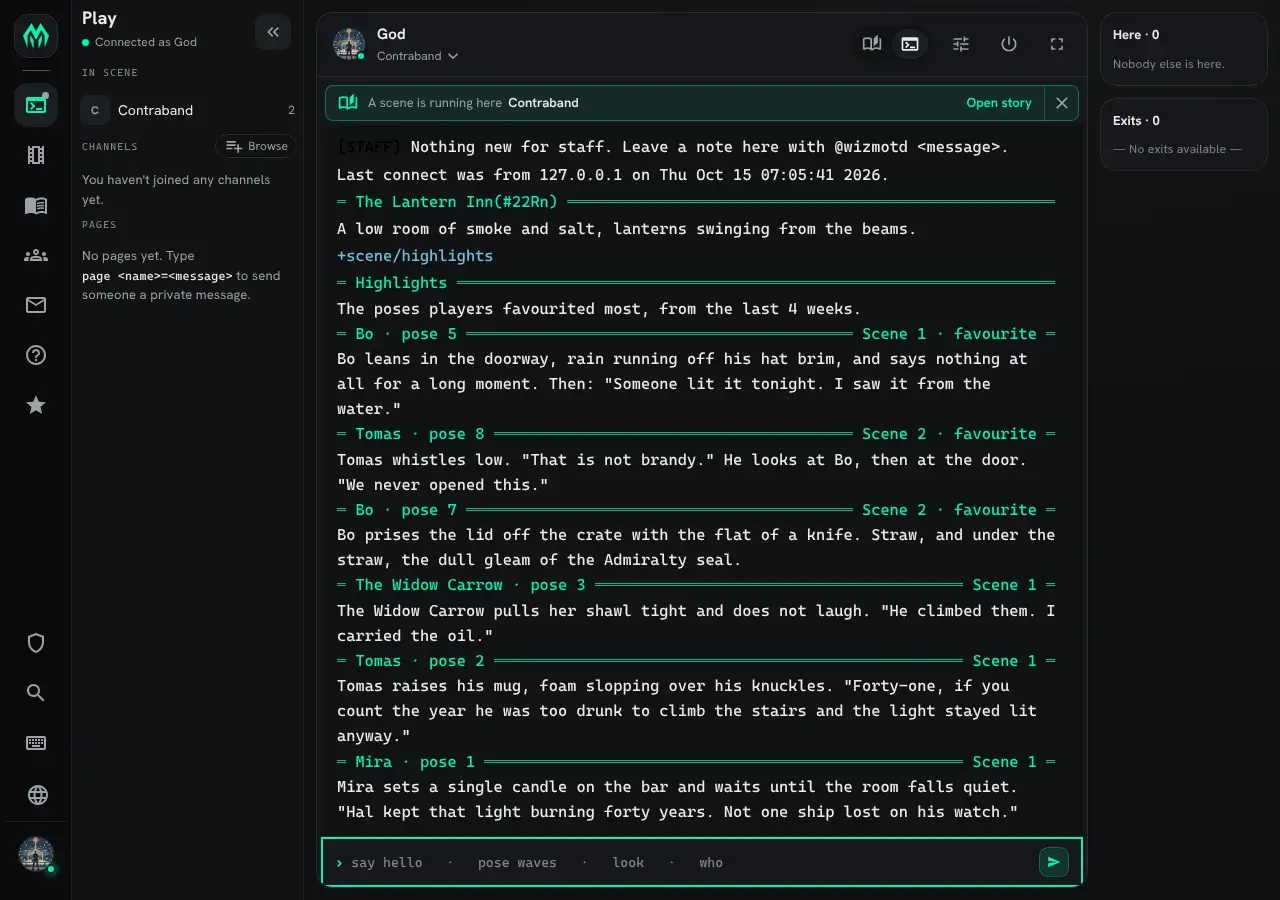
What you are shown follows what you may read:
- Poses from a private scene show only to its members.
- A pose its writer deleted leaves both lists.
- A pose type you hid with
+scene/hide, such as OOC, stays out of both lists.
On the website
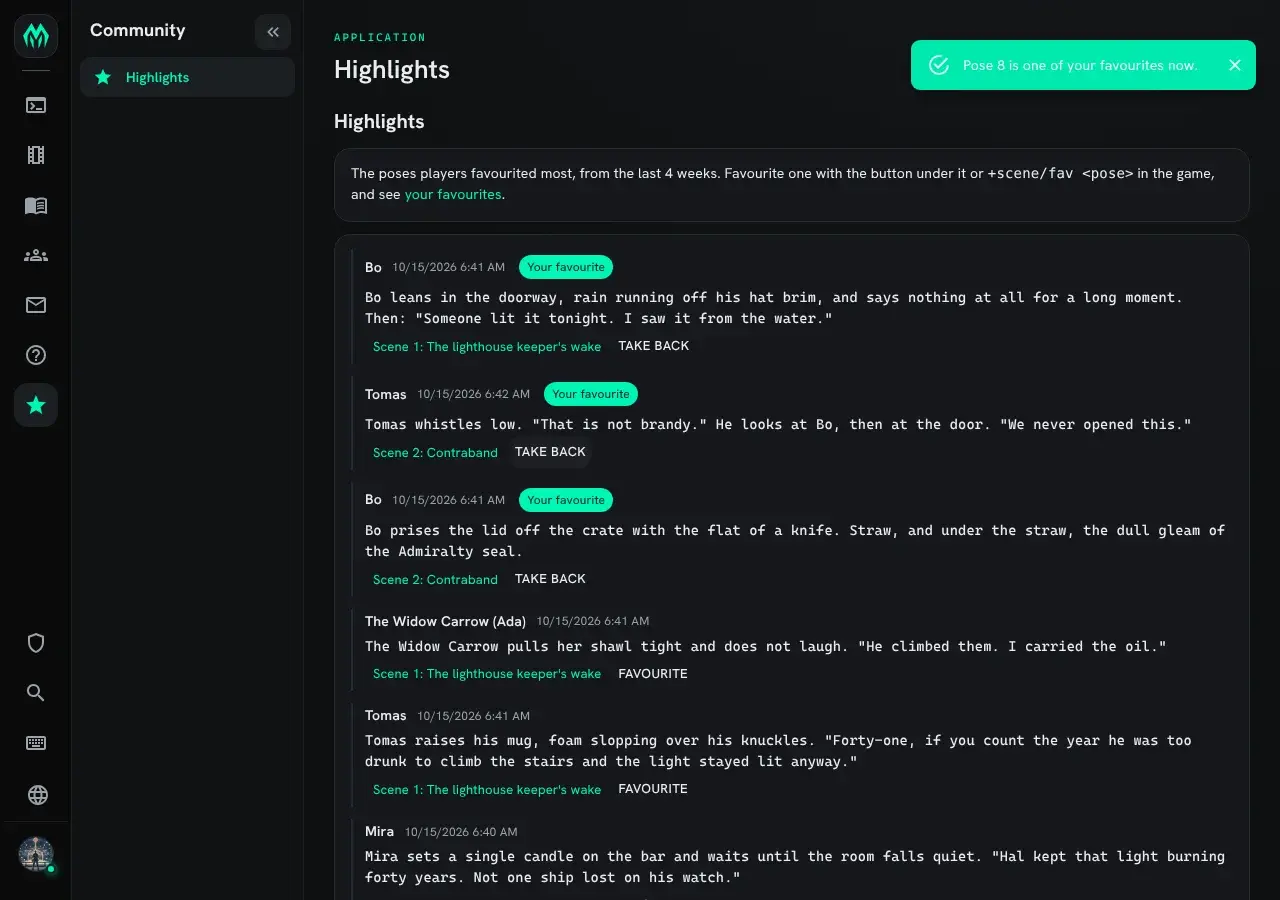
Section titled “On the website”The Highlights page, under Community, shows the same list. Each pose shows who wrote it, when, and a link to its scene. Signed in with an approved character, you get a Favourite button under each pose you may favourite, and Take back under your own favourites. A pose you favourited is tagged Your favourite.
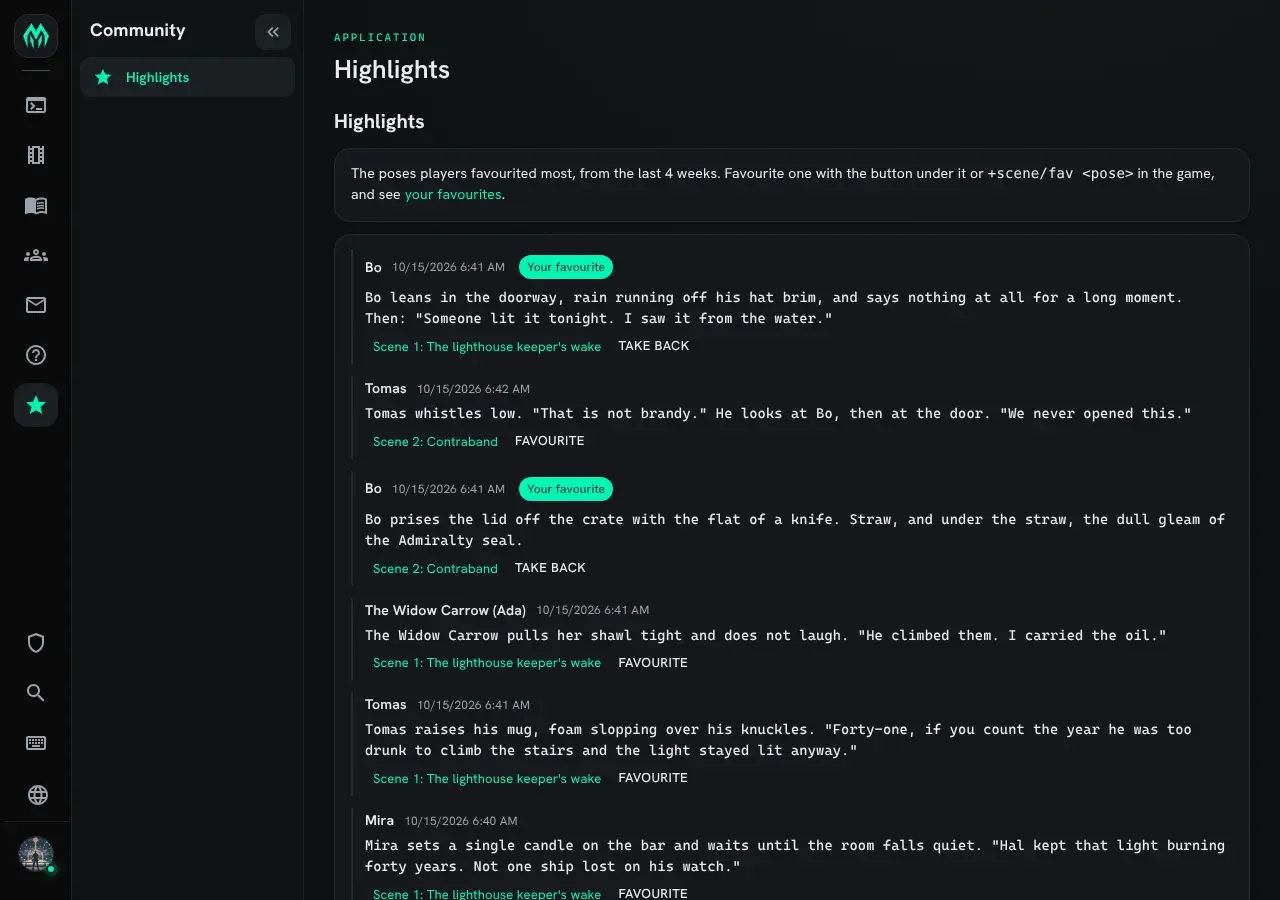
Pressing Favourite does what +scene/fav does, and the page updates in place:
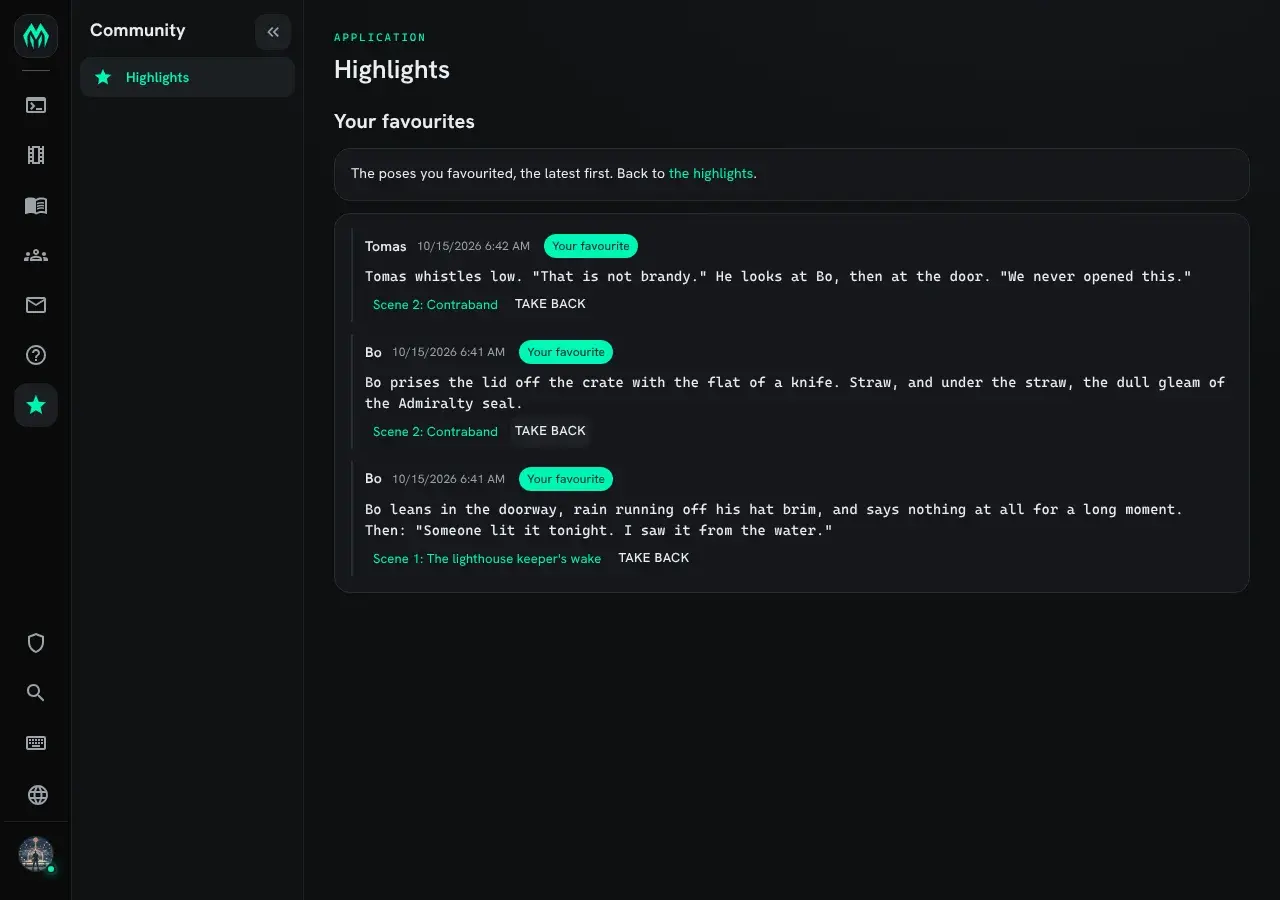
The your favourites link in the text at the top opens /apps/highlights/mine, your own
list, the latest first:
A visitor who is not signed in can read the highlights from public scenes, with no buttons.
Running Highlights
Section titled “Running Highlights”Installing
Section titled “Installing”Highlights ship with the server but are not installed on a new game. They need the scene system, so the Scene plugin must be running. An administrator installs them from the portal:
- Open Packages in the admin area and choose Browse.
- Install
highlights, which adds the commands. It needsscene,http-handlerandplus-config, which a new game already has. - Install
highlights-appfor the website page.
The commands are added beside the other +scene commands. See
Softcode Packages for how installing, upgrading and rolling back work.
Settings
Section titled “Settings”Staff who can change the game’s configuration (the config.admin permission) change the
settings with +config highlights:
> +config highlights╔══════════════════════════╡ Settings: Highlights ╞══════════════════════════╗║ Favourite poses and the highlights they make. ║║ ║║ Setting Value Allowed What it does ║║ -------------------------------------------------------------------------- ║║ own-poses no Yes or no Own poses. Whether players ║║ may favourite their own ║║ poses. ║║ page-size 10 A whole number from 1 to 50 Poses per page. How many ║║ poses one page of the ║║ highlights or of a player's ║║ favourites shows. ║║ window 4w A length of time, at least Window. How far back the ║║ 0s highlights reach, by when ║║ the pose was written. 0 ║║ shows every favourited ║║ pose. ║╠════════════════════════════════════════════════════════════════════════════╣║ +config highlights/<setting>=<value> changes one. ║╚════════════════════════════════════════════════════════════════════════════╝For example, to keep the highlights to the last two weeks, then go back to the default:
> +config highlights/window=2w[CONFIG] Done: highlights/window is now 2w, was 4w.> +config/reset highlights/window[CONFIG] Done: highlights/window is now 4w, was 2w.The window counts from when the pose was written, not from when it was favourited, so an old
pose favourited today stays out. A window of 0 shows every favourited pose. Favourites
outside the window are kept: widening it brings them back, and +scene/favs always shows
them.
Players can read +config highlights too, but only staff can change it.
Where the favourites are kept
Section titled “Where the favourites are kept”The package keeps its favourites on its own object, the Highlights Store, not on the scenes. One branch per favourited pose holds who favourited it, its scene, and when it was written. When nobody favourites a pose any more, its branch is removed. Uninstalling the package removes the store and every favourite in it, and leaves the scenes as they were.