
Versioning Packages
A version number is a promise to the people who install your package. When they see 1.4.0 become
1.5.0, they expect to upgrade without fixing anything. When they see 2.0.0, they expect to read
what changed first. SharpMUSH versions itself the same way, so a package can say which SharpMUSH
versions it runs on, and an administrator sees a warning before an install rather than a broken
command after it.
This page covers:
- Major, minor and patch
- What counts as breaking in a package
- What counts as breaking in SharpMUSH
- Stating the SharpMUSH versions a package runs on
- When to set a maximum
- Ranges on dependencies
- Before you release
Major, minor and patch
Section titled “Major, minor and patch”A version is three numbers, MAJOR.MINOR.PATCH. Every release of a package raises one of them; a
package that changes and keeps its version cannot be told apart from the one it replaced.
| Raise | When the release | Example |
|---|---|---|
Major (1.4.2 to 2.0.0) | can break a game that used the previous version | +bbread takes the board name before the number |
Minor (1.4.2 to 1.5.0) | adds something, and everything that worked still works | a new +bbsearch command |
Patch (1.4.2 to 1.4.3) | fixes or speeds something up, and adds nothing | a typo in a message, a faster +bbscan |
Raising one number resets the ones after it: 1.4.2 becomes 1.5.0 or 2.0.0, never 1.5.2.
A prerelease such as 2.0.0-beta.1 sorts before 2.0.0 and is installed only by an administrator
who asks for it.
What counts as breaking in a package
Section titled “What counts as breaking in a package”A change is breaking when a player, a builder, or another package has to change something to keep working. In a softcode package that is:
- removing or renaming a command, or a switch of one;
- changing what a command’s arguments mean, or their order;
- removing or renaming an attribute that other code is told to call or set, such as a
FNfunction other packagesu(), or aFILTERextension point; - changing a function’s arguments or what it returns, when other code calls it;
- removing an object that another package refers to as
{{your-package/ref}}; - removing a role, permission or configuration option the package declared, when the game may rely on it;
- storing data in a new shape that the previous version’s attributes no longer read;
- raising
requires_serverto a new SharpMUSH major version.
These are not breaking: a new command, switch or option with a default that keeps today’s behaviour; new attributes; different wording in messages, unless your package documents its output as something to parse; a bug fix, even one a game had come to depend on (say so in the release notes).
What counts as breaking in SharpMUSH
Section titled “What counts as breaking in SharpMUSH”SharpMUSH follows the same rules, seen from the packages that run on it.
- A major release may remove or rename a command, function, switch or substitution, change the order or meaning of a function’s arguments, or change output that softcode reads, such as what a function returns. Each one is listed in the release notes.
- A minor release adds commands, functions, switches, configuration options and package format
keys. Anything that ran on
2.3runs on2.4. - A patch release fixes bugs.
version() reports the version a game is running, and the portal shows it on the Server page.
Stating the SharpMUSH versions a package runs on
Section titled “Stating the SharpMUSH versions a package runs on”Three keys in package.yaml place a package against SharpMUSH’s versions. The last two need
format: 1.6.
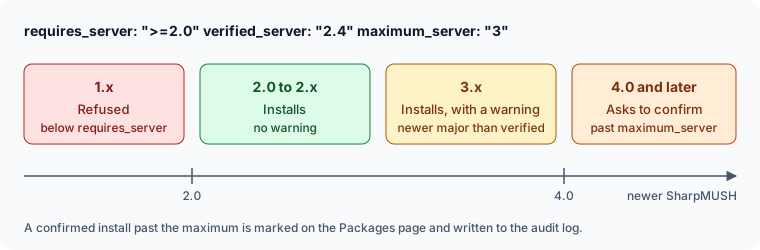
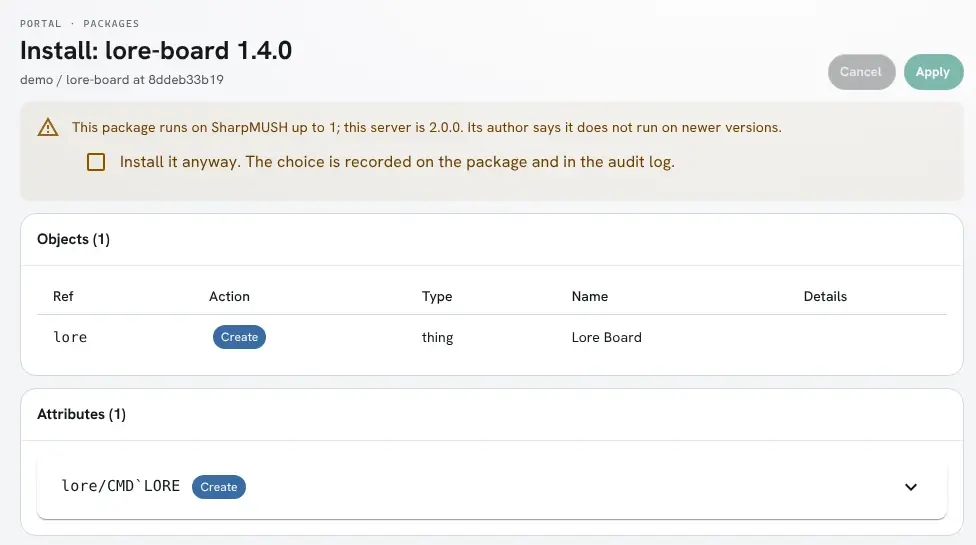
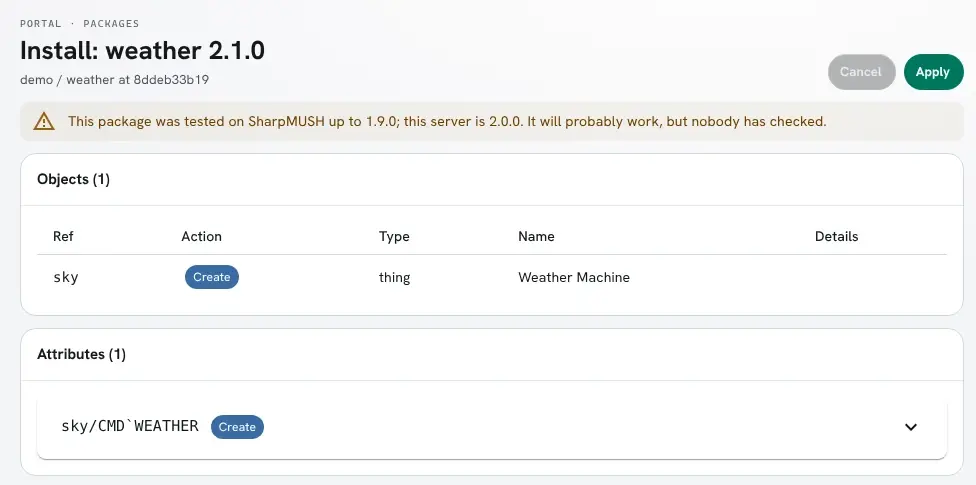
format: 1.6package: lore-boardversion: 1.4.0requires_server: ">=2.0" # the lowest version it runs onverified_server: "2.4" # the newest version you tested it onmaximum_server: "3" # leave out unless you know a newer version breaks itrequires_serveris the lowest version, written with>=. A server below it refuses the package. Raise it when the package starts using a command or function that version added.verified_serveris the newest version you tested on. Update it whenever you test on a new release. When a game runs a newer major version, the review screen warns that nobody has tested the package there, and the install goes ahead.maximum_serveris the newest version the package runs on. What you leave out matches anything:3covers every 3.x,3.2every 3.2.x. On a newer server the review screen warns, and the administrator must tick Install it anyway before Apply turns on.
This is what the review screen shows for a package whose maximum_server is 1, on a 2.0.0 server:
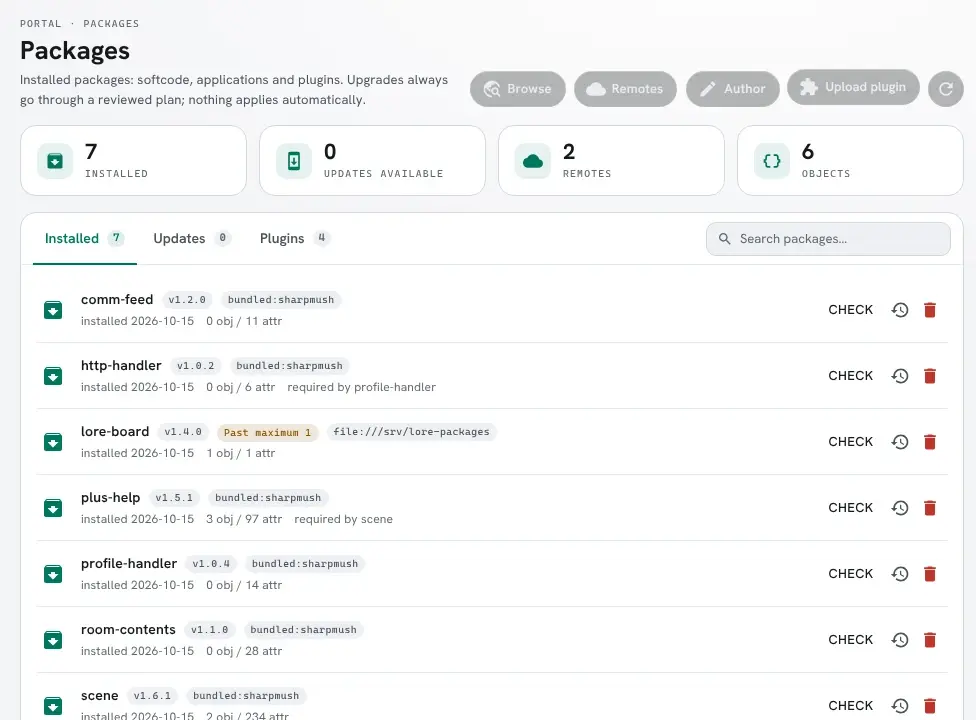
Once confirmed, the package carries a Past maximum mark on the Packages page, and the audit log
records a package.past-maximum entry with the version and the server it went onto. Installing a
version whose range fits the server clears the mark.
A package whose verified_server is older gets a warning and nothing to confirm:
When to set a maximum
Section titled “When to set a maximum”Set maximum_server only when you know a SharpMUSH version breaks the package: the release notes
for SharpMUSH 3.0 remove a function you call, and you have not released a version that copes.
When a break does come, a typical sequence is:
- SharpMUSH 3.0 is announced, removing a function
lore-board1.4.0 calls. - You release
lore-board1.4.1 withmaximum_server: "2", so games on 3.0 are asked before installing it. - You release
lore-board2.0.0, which works on 3.0, withrequires_server: ">=3.0"and no maximum.
Ranges on dependencies
Section titled “Ranges on dependencies”The same rule applies to the packages yours depends on. Write the lowest version that has what you use, and no upper bound:
depends: - plus-help: ">=1.2" # not ">=1.2 <2.0"plus-help 2.0 might break nothing you use. If a dependency’s major release does break your
package, add the bound then (">=1.2 <2.0"), in a release of your own. Unlike maximum_server, an
unmet dependency range refuses the install with nothing to confirm: once a game has plus-help 2.0,
a guessed <2.0 keeps your package off it even if it would have worked.
Before you release
Section titled “Before you release”- Raise
versionby the rule above, even for a one-line fix. - If you raised the major version, list what broke in the README or release notes.
- Raise
requires_serverif you use something a newer SharpMUSH added. - Set
verified_serverto the newest SharpMUSH you tested on. - Leave
maximum_serverand dependency upper bounds out unless a break is known. - Run
SharpMUSH.PackageTool(or the portal’s package author page) to check the manifest.
The Package Declarations reference lists the keys and the errors the server reports for a malformed range.