
Scene Safety
Scene Safety gives players three tools from tabletop play:
- A line is something you do not want in a scene at all.
- A veil is something that may happen, but off screen.
- A pause or skip asks the scene’s owner to stop or move on, without telling them who asked.
Your lines and veils are yours. Nobody else sees them, not even the owner of a scene you join. An owner sees only how many players in their scene have a line or a veil touching each of its content warnings.
| You are | You want to | Read |
|---|---|---|
| A player | say what you will not play | Lines and veils |
| A player | know whether a scene is for you | Joining a scene |
| A player | stop what is happening in a scene | Pause and skip |
| A scene’s owner | see what your players would rather avoid | Running a scene |
| Staff | install it, change the topics and limits | Running Scene Safety |
In the game, +help safety has the same commands in short form.
Lines and veils
Section titled “Lines and veils”+safety/line <topic> adds a line and +safety/veil <topic> adds a veil. | splits several.
+safety on its own shows yours:
> +safety/line Gore|Spiders[SAFETY] Done: Your lines: Gore · Spiders. Nobody else sees them.> +safety/veil Sexual content[SAFETY] Done: Your veils: Sexual content. Nobody else sees them.> +safety═══════════════════════════╡ Your lines and veils ╞═══════════════════════════Lines: Gore · SpidersVeils: Sexual content════════════════════════════╡ Only you see these ╞════════════════════════════A line is something you do not want in a scene at all. A veil may happen, but off screen. +safety/line <topic> and +safety/veil <topic> add one, +safety/remove <topic> takes it off, and +safety/topics suggests some. In a scene, +safety/pause and +safety/skip ask its owner to stop without your name.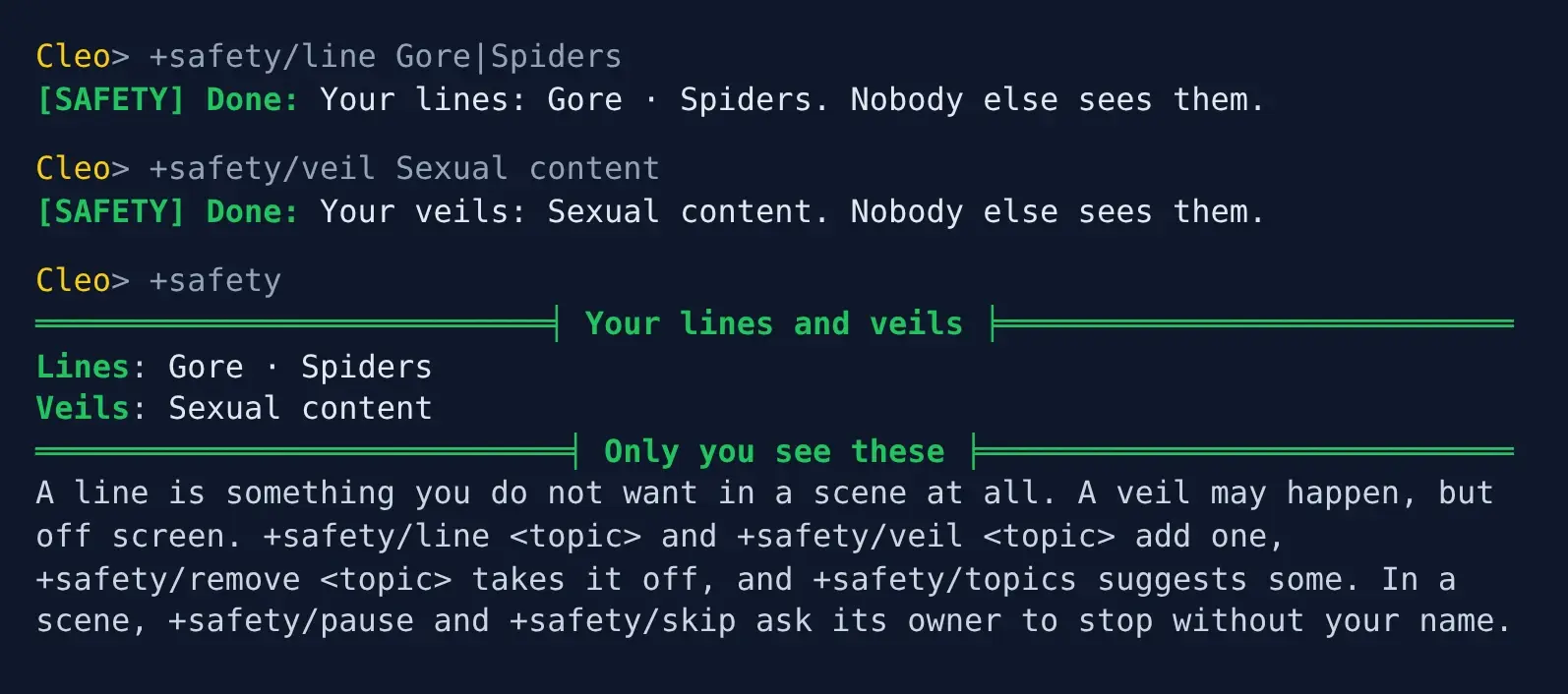
+safety/remove <topic>takes a line or a veil off.+safety/cleartakes them all off.+safety/topicslists the topics your game suggests. Any other words work too.
A topic can be a line or a veil, not both: making Gore a veil takes it off your lines.
Lines and veils belong to your account, so every character on it has the same ones. A character with no account keeps its own.
Joining a scene
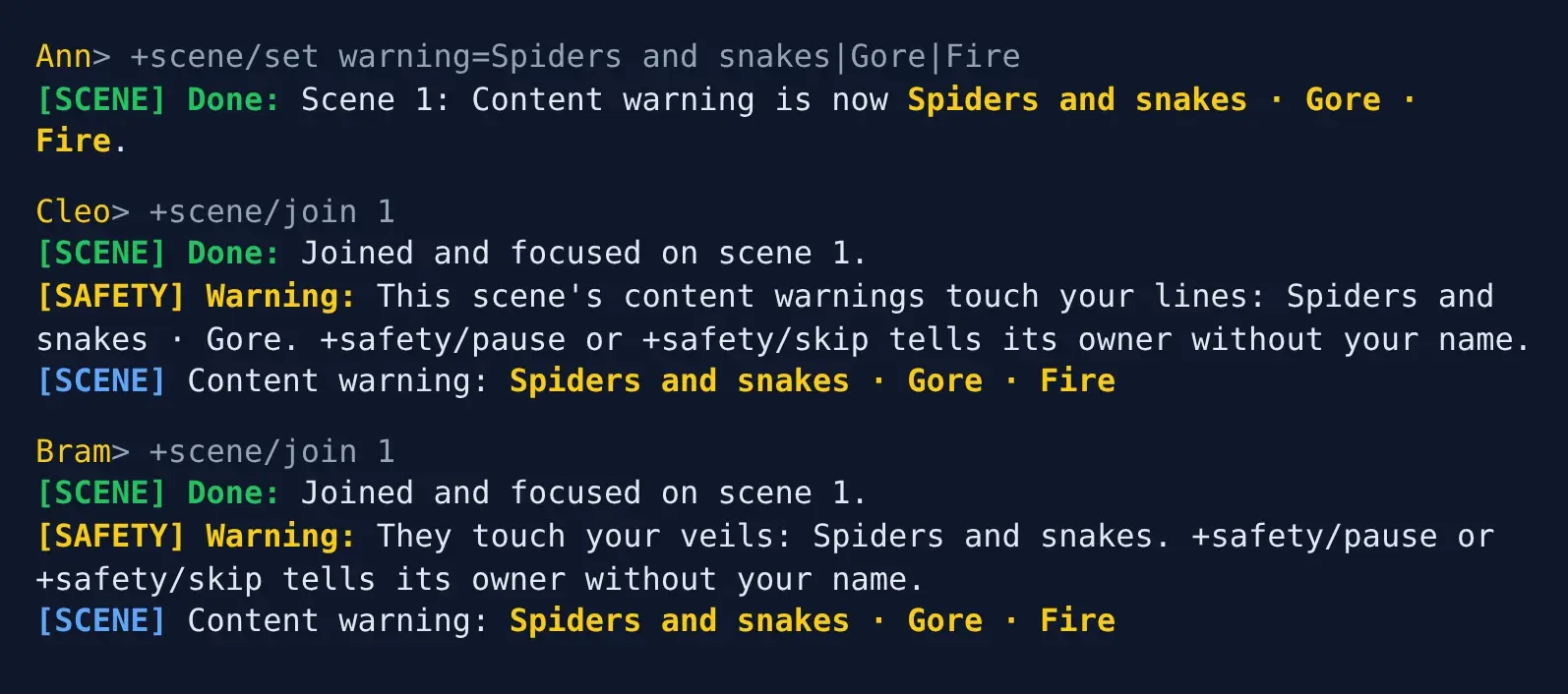
Section titled “Joining a scene”When you join a scene whose content warnings touch your lines or veils, you are told, and nobody else is:
> +scene/join 1[SCENE] Done: Joined and focused on scene 1.[SAFETY] Warning: This scene's content warnings touch your lines: Spiders and snakes · Gore. +safety/pause or +safety/skip tells its owner without your name.[SCENE] Content warning: Spiders and snakes · Gore · FireA line or veil touches a warning when either contains the other as whole words. A line of
Spiders touches the warning Spiders and snakes; a line of Spider does not.
By default the warnings are the scene’s warning detail, which the scene-verse package adds;
the warning-detail setting names another. See Scene Details.
Pause and skip
Section titled “Pause and skip”While you are focused on a scene, +safety/pause asks its owner to stop what is happening, and
+safety/skip asks them to move past it. A short note after either is optional:
> +safety/skip Can we move past this?[SAFETY] Done: Scene 1's owner was asked to skip, without your name.The owner is told this, and nobody else in the scene is told anything:
[SAFETY] Warning: Someone in scene 1 asks to skip what is happening now. They add: Can we move past this? Nobody else was told.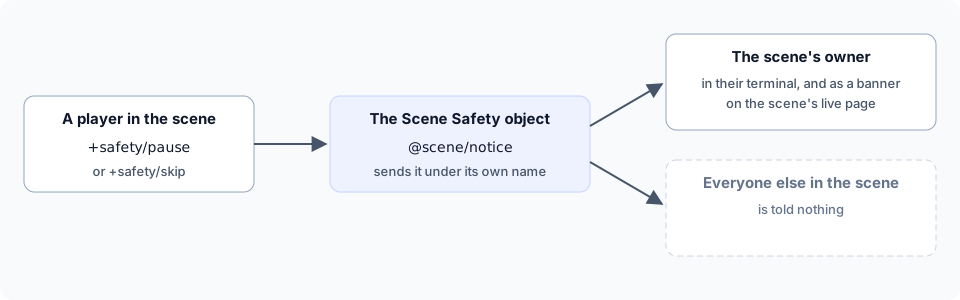
The message comes from the Scene Safety object, so nothing in it names you. By default a player can
send one every minute; the signal-wait setting changes that:
> +safety/pause[SAFETY] Warning: You signalled a moment ago. Try again in 56s.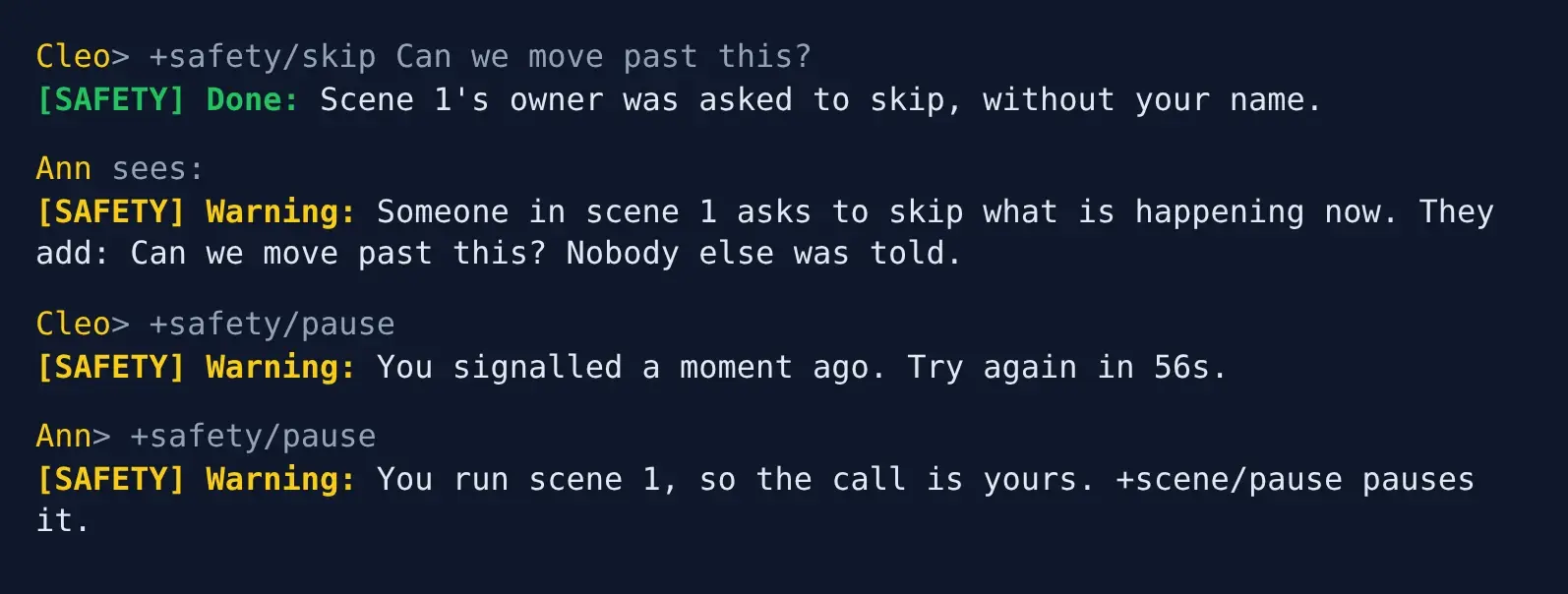
In the portal
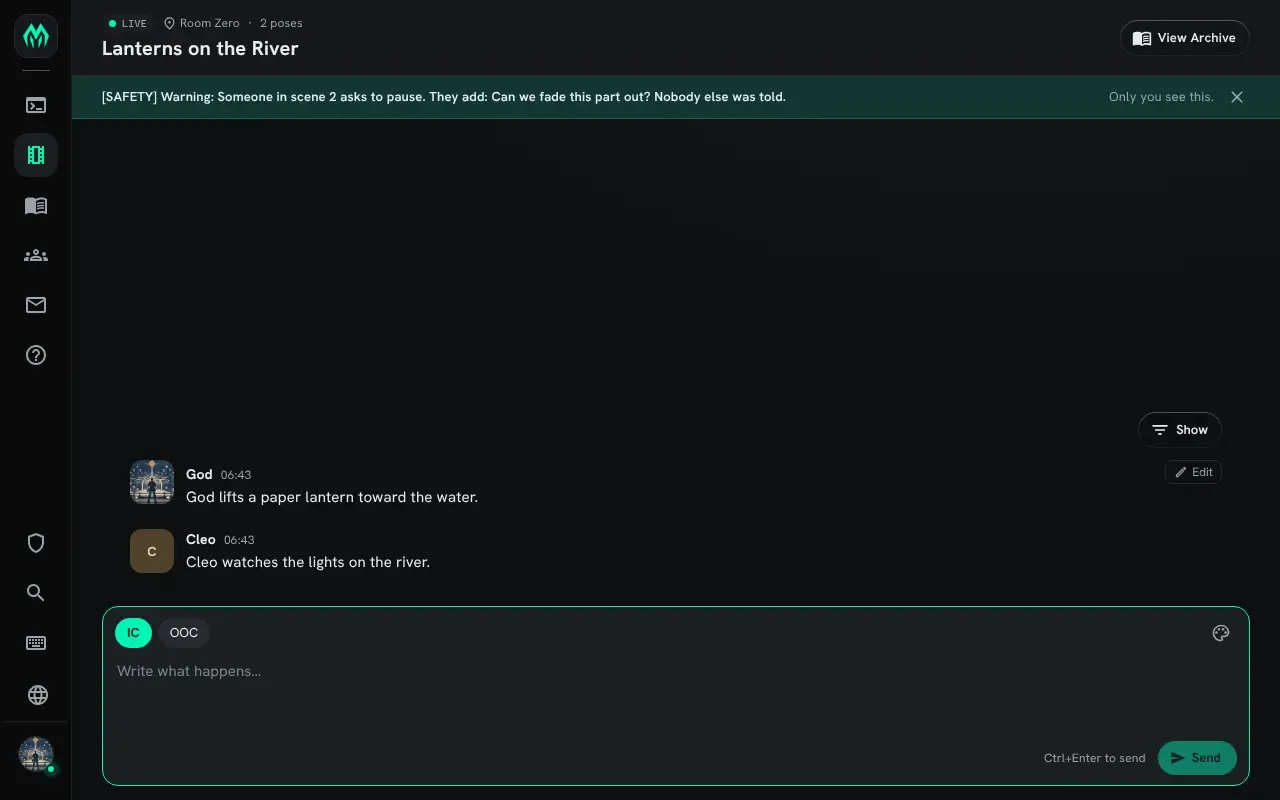
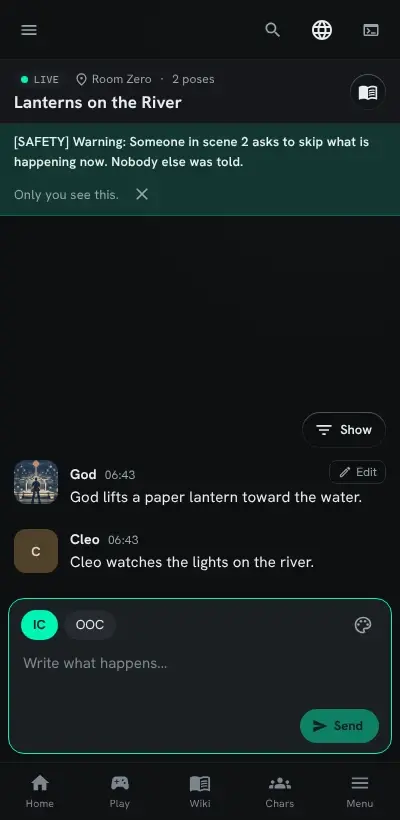
Section titled “In the portal”When the owner has the scene’s live page open, the message also shows there, under the scene’s header, until they close it. Nobody else’s page shows it.
On a phone the banner sits above the poses in the same way:
Running a scene
Section titled “Running a scene”+safety/scene shows the owner of the focused scene how many of the other players have a line or
a veil touching each content warning. +safety/scene <id> names a scene. Names, and the words
players used, are never shown:
> +safety/scene══════════════════════════════════╡ Safety ╞══════════════════════════════════Content warning Lines VeilsSpiders and snakes 1 1Gore 1 0How many of the other players have a line or a veil touching each warning. Names, and the words they used, are never shown.The same table shows at the bottom of +scene <id>, for the owner only. Anyone else is refused:
> +safety/scene 1[SAFETY] Warning: Only scene 1's owner sees its summary.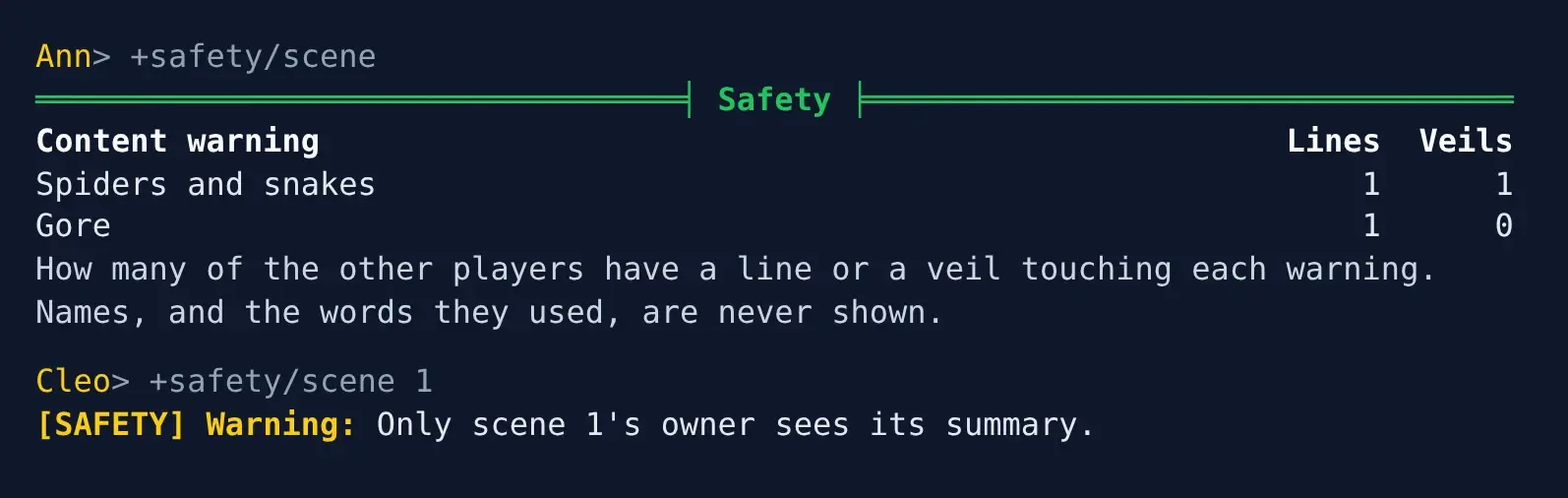
A warning no line or veil touches is left out. When none is touched, +safety/scene says so.
If you own the scene, a pause is your own call: +safety/pause points you to +scene/pause.
Running Scene Safety
Section titled “Running Scene Safety”Installing
Section titled “Installing”Scene Safety ships with the server but is not installed on a new game. An administrator installs it from the portal:
- Open Packages in the admin area and choose Browse.
- Install
scene-verse, which gives scenes their content warnings. - Install
scene-safety. It needsscene,plus-helpandplus-config; a new game already has them.
It needs the Scene plugin, and is not offered while the plugin is not running. It adds the
command +safety for everyone, so a +safety your game already has in softcode stops running once
the package is in.
See Softcode Packages for how installing, upgrading and rolling back work.
Settings
Section titled “Settings”+config safety lists the settings and +config safety/<setting>=<value> changes one, with the
config.admin permission. See Game Settings with +config.
| Setting | What it changes | Default |
|---|---|---|
topics | The topics +safety/topics suggests, split by |. | Animal harm, Body horror, Child harm, Death, Drug use, Gore, Racism, Self-harm, Sexual content, Slavery, Spiders, Suicide, Torture, Violence |
warning-detail | The scene detail that holds a scene’s content warnings. | warning |
topic-length | The longest line or veil, in characters, 1 to 200. | 40 |
note-length | The longest note a pause or skip may carry, 0 to 1000. 0 allows none. | 200 |
signal-wait | How long a player waits between one pause or skip and the next, up to 1h. | 1m |
For example, to suggest one more topic and let players signal every 30 seconds:
> +config/add safety/topics=Clowns> +config safety/signal-wait=30sWhere the data is
Section titled “Where the data is”Lines and veils are kept on the Safety Store, inside the Scene Safety object in the master room. Staff who can examine every object can read it, so tell your players who can.
From your own code
Section titled “From your own code”The pause goes through @scene/notice, which any wizard object can use to tell one member of a
scene something, in their terminal and on the scene’s live page, and nobody else:
@scene/notice <scene id>/<player>=<text>The member hears it from the object that ran the command.