
Who and Where
The who-where package gives a game two commands:

+wholists everyone connected: their alias, how long they have been idle and connected, their gender and where they are.+whereshows where everyone connected is standing.
In the game, +help who and +help where have the same commands in short form. The examples
below are what God saw with eight players connected, God included.
+who lists everyone, by name unless staff set who-order to idle. The columns are the ones most who lists on other games share:
name, alias, idle time, time connected, the first letter of the player’s @sex (? when it is
not set), and location.
> +who+==============================< Who's Online >==============================+| Name Alias Idle Conn G Location || -------------------------------------------------------------------------- || Ash 4m 4m N Market Square || Bram 4m 4m M Harbour Watch || Elin 4m 4m F The Old Mill || God 0s 5s ? Room Zero || Kit 4m 4m M - || Mira Mi 4m 4m F The Old Mill || Sorrel Sx 4m 4m ? Market Square || Tomas 4m 4m M Market Square |+============================================================================+| 8 connected |+============================================================================+A player who has been idle for an hour or more has their name drawn muted, so the people who are
around stand out. An hour is the default; the idle-after setting changes it.
+who/idle lists the same players with the least idle first.
+who followed by a name lists only the players whose name or alias starts with it. The footer
says how many of everyone connected it shows:
> +who mi+==============================< Who's Online >==============================+| Name  Alias  Idle  Conn  G  Location                                       || -------------------------------------------------------------------------- || Mira  Mi       4m    4m  F  The Old Mill                                   |+============================================================================+| 1 of 8 connected                                                           |+============================================================================+
> +who zz[WHO] Warning: Nobody connected has a name starting with zz.
A Status column appears when another package gives some player a status, such as +status lfrp from
Status.
Adding to the Status column
Section titled “Adding to the Status column”Any package can add to the Status column. It puts an attribute named
FILTER`WHO`STATUS`<name> on the Who-Where Function Object. For each player, +who
runs every such filter in name order. Each gets the status so far as %0, empty to begin
with, and the player as %1, and returns the status to show. Status’s own filter is
FILTER`WHO`STATUS`STATUS: it shows the player’s status, or passes %0 on.
For example, to show “Staff” for wizards who have no status, name the filter so it runs before Status’s:
&FILTER`WHO`STATUS`AASTAFF <Who-Where Function Object>=if(hasrole(%1,wizard),Staff,%0)+help who filters in the game says the same.
+where
Section titled “+where”+where has three views.
Under each location
Section titled “Under each location”By default, +where on its own gives each location a line with its name and how many players are there, and
lists those players under it, as many to a line as fit. Locations are sorted by name, and so are
the players in each.
> +where===================================< Where >===================================< Harbour Watch >===============================================< 1 player >=Bram=< Market Square >==============================================< 3 players >=Ash Sorrel Tomas=< Room Zero >===================================================< 1 player >=God=< The Old Mill >===============================================< 2 players >=Elin Mira=< Unfindable >==================================================< 1 player >=Kit==============================================================================8 connected in 4 locationsIn a terminal that shows UTF-8 the lines are drawn with box characters:
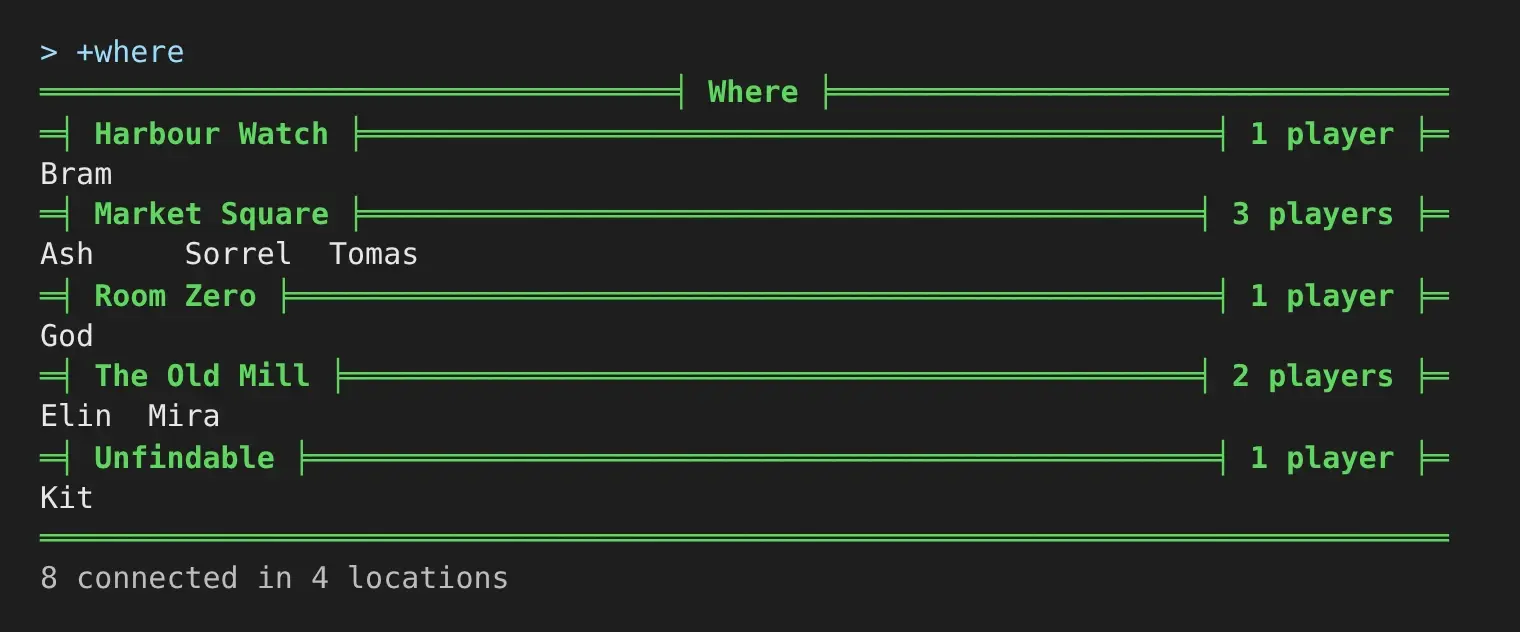
Two rooms with the same name get a line each.
Every +who and +where screen is sent in parts, 250 players or 100 locations at a time, so it
keeps working with thousands of players connected, each in a room of their own.
One player per line
Section titled “One player per line”+where/room lists one player per line, sorted by location and then by name:
> +where/room+============================< Where by location >===========================+| Name Location Idle || -------------------------------------------------------------------------- || Bram Harbour Watch 4m || Ash Market Square 4m || Sorrel Market Square 4m || Tomas Market Square 4m || God Room Zero 0s || Elin The Old Mill 4m || Mira The Old Mill 4m || Kit - 4m |+============================================================================+| 8 connected |+============================================================================++where/name lists the same, sorted by name:
> +where/name+==============================< Where by name >=============================+| Name Location Idle || -------------------------------------------------------------------------- || Ash Market Square 5m || Bram Harbour Watch 5m || Elin The Old Mill 5m || God Room Zero 0s || Kit - 5m || Mira The Old Mill 5m || Sorrel Market Square 5m || Tomas Market Square 5m |+============================================================================+| 8 connected |+============================================================================+Any other switch is refused:
> +where/bogus[WHERE] Warning: +where has no /bogus switch. +where/grouped lists under a line per location, +where/room by location, +where/name by name.Unfindable players
Section titled “Unfindable players”A player who is unfindable, or who stands in an unfindable room, is listed under Unfindable
in +where, and at - in +who and the one-per-line views. In the examples, Kit is in
Smugglers’ Cove, which is set UNFINDABLE. This holds for staff too: who-where looks players up
as its own object, not as the reader.
Settings
Section titled “Settings”+config who-where lists the settings and +config who-where/<setting>=<value> changes one,
with the config.admin permission. See Game Settings with +config.
> +config who-where╔═════════════════════════╡ Settings: Who and Where ╞════════════════════════╗║ What +who and +where show. ║║ ║║ Setting Value Allowed What it does ║║ -------------------------------------------------------------------------- ║║ idle-after 1h A length of time, at least Idle after. How long a ║║ 1m player is idle before ║║ +who draws their name ║║ muted. ║║ where-view grouped Grouped, room, or name Bare +where view. What ║║ +where shows: players ║║ under a line per ║║ location, or one per line ║║ by room or by name. ║║ who-order name Name or idle Bare +who order. The ║║ order +who lists players ║║ in. +who/name and ║║ +who/idle pick one. ║╠════════════════════════════════════════════════════════════════════════════╣║ +config who-where/<setting>=<value> changes one. ║╚════════════════════════════════════════════════════════════════════════════╝who-order and where-view choose what the bare commands show. Every view stays a switch away:
+who/name and +who/idle, +where/grouped, +where/room and +where/name.
In the portal and on a phone
Section titled “In the portal and on a phone”Every view fills the reader’s screen. In the portal it is drawn as a card:
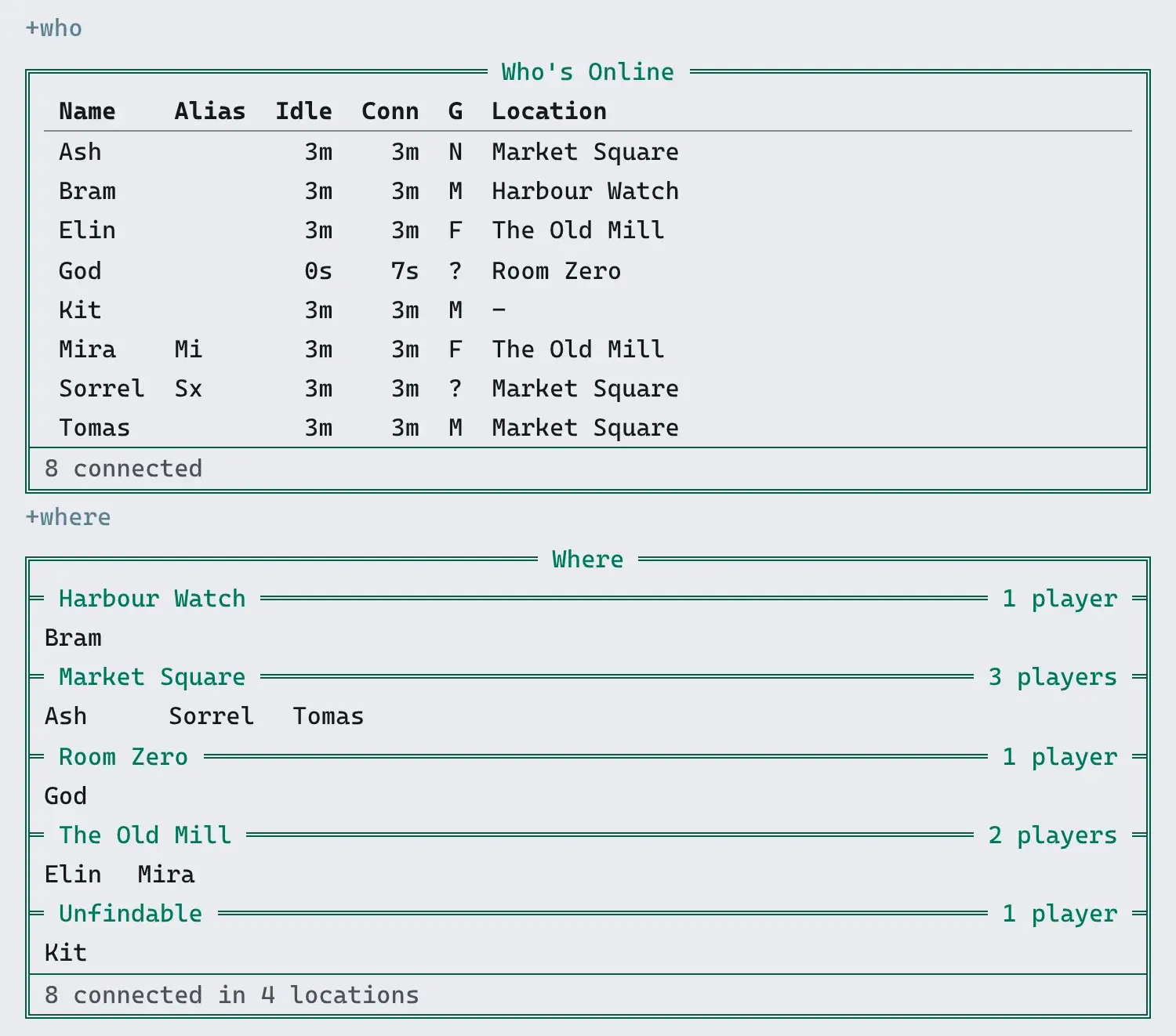
On a narrow screen the less important columns go first: gender, then alias, then time connected.
Name, idle time and location stay. The location lines in +where keep their counts, and the
names under them take fewer to a line:

Installing
Section titled “Installing”who-where ships with the server but is not installed on a new game. An administrator installs
it from the portal: open Packages in the admin area, choose Browse, and install
who-where. It needs plus-help and plus-config, which a new game already has.
See Softcode Packages for how installing, upgrading and rolling back work.