
Watch List
The watch list tells you when the people you play with connect and leave, and shows
which of them are on now, where they are, and their status from +who.
| You are | You want to | Read |
|---|---|---|
| A player | follow the people you play with | Watching someone |
| A player | keep others from tracking you | Privacy |
| Staff | install it and change its settings | Running the watch list |
In the game, +help watch has the same commands in short form.
Watching someone
Section titled “Watching someone”+watch/add <name> adds someone to your watch list. From then on you hear when they
connect and when they leave:
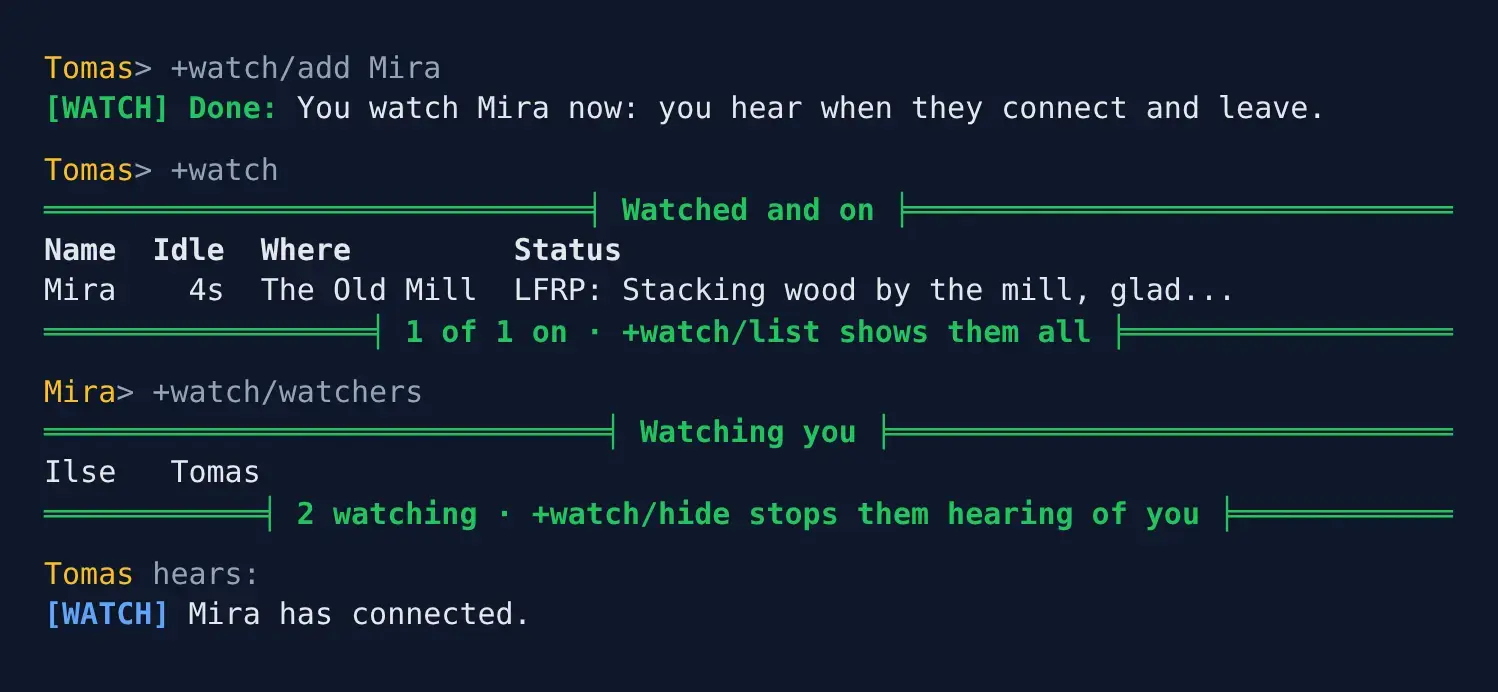
> +watch/add Mira[WATCH] Done: You watch Mira now: you hear when they connect and leave.[WATCH] Mira has connected.[WATCH] Mira has disconnected.+watch/del <name> takes them off again.
+watchlists the people you watch who are on now, with where they are and their status.+watch/listlists everyone you watch, with when each was last on.
> +watch══════════════════════════════╡ Watched and on ╞══════════════════════════════Name Idle Where StatusMira 4s The Old Mill LFRP: Stacking wood by the mill, glad...══════════════════╡ 1 of 1 on · +watch/list shows them all ╞══════════════════> +watch/list══════════════════════════════════╡ Watched ╞═════════════════════════════════Name Last onMira on now═════════════════╡ 1 watched · +watch/mute stops the notices ╞════════════════The Status column shows what +who shows, from Status or any other
package that adds to +who.
When you log in, you hear which of the people you watch are already on:
[WATCH] On now of those you watch: Mira.+watch/mute stops the connect and disconnect lines but keeps your list.
+watch/unmute starts them again.
A connection that drops and comes straight back does not announce itself twice. After a connect is announced, the next one within five minutes is not, and neither is its disconnect.
Coming from +watch or +friend
Section titled “Coming from +watch or +friend”The commands follow the FRIEND global many games already run. +friend is the same
command as +watch, so +friend/add, +friend/del and +friend/delete work, and so do
/hide and /mute.
Privacy
Section titled “Privacy”You decide whether others can follow you:
+watch/watchersshows who watches you.+watch/hidestops anyone hearing when you connect or leave, and leaves you out of their+watch.+watch/unhideundoes it.- Someone your page lock keeps out is never told when you connect. See
help @lock/pagein the game. - Nobody hears of you while you are DARK or connected hidden.
- Someone who cannot locate you sees
-where your room would be.
> +watch/watchers═══════════════════════════════╡ Watching you ╞═══════════════════════════════Ilse Tomas════════════╡ 2 watching · +watch/hide stops them hearing of you ╞════════════> +watch/hide[WATCH] Done: Nobody hears when you connect or leave, and you are left out of everyone's +watch. +watch/unhide undoes it.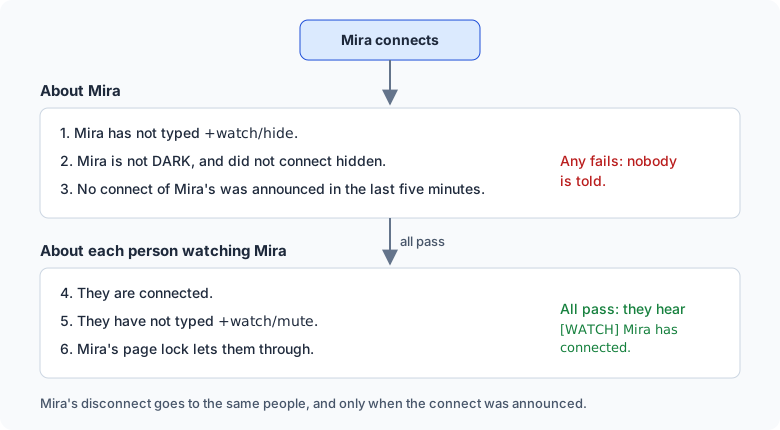
A list longer than your screen is split into pages. The last line says which page you are on and how to see the next: add the page number as the last switch.
| Type | To see |
|---|---|
+watch/2 | the second page of the people you watch who are on |
+watch/list/2 | the second page of everyone you watch |
+watch/watchers/2 | the second page of who watches you |
Running the watch list
Section titled “Running the watch list”Installing
Section titled “Installing”The watch list ships with the server but is not installed on a new game. An administrator installs it from the portal:
- Open Packages in the admin area and choose Browse.
- Install
who-where, which gives+whoand+where. - Install
watch. It needswho-whereandplus-help; a new game already hasplus-help.
It adds the commands +watch and +friend for everyone. They are game commands, which are
matched before softcode $-commands, so a +watch or +friend your game already has in
softcode stops running once the package is in.
Settings
Section titled “Settings”Each setting is an attribute on the Watch object in the master room. Find its number
with @find Watch; the first is the Watch object, the others its store and its help.
| Attribute | What it is | Default |
|---|---|---|
DATA`WATCH`MAX | How many people one player may watch. | 100 |
DATA`WATCH`QUIET | Seconds before a player’s connect is announced again. | 300 |
+help watch staff in the game says the same.