
IC Dates and Timelines
The timeline package puts every scene on the game’s IC calendar and lists each character’s scenes in story order:
- A scene gets the IC date when it starts.
+scene/dategives a flashback the date it really happens on.+timelinelists a character’s finished scenes in IC order, earliest first.- The portal shows the same list on a character’s scenes page, under Timeline.
It needs the Scene plugin, the scene package and the time package, whose Clock keeps the IC
calendar. See Time and Time Zones for setting the calendar up.
| You are | You want to | Read |
|---|---|---|
| A player | see when a scene takes place | A scene’s IC date |
| A player | date a flashback | Dating a scene |
| A player | see a character’s story in order | The timeline |
| Staff | install it, or stop scenes being dated on their own | Installing and settings |
| A coder | read IC dates in your own code | For coders |
In the game, +help timeline and +help scene date have the same commands in short form.
A scene’s IC date
Section titled “A scene’s IC date”When a scene starts, it takes the IC date the Clock shows at that moment. Pausing and resuming a scene keeps the date it had.
+scene/date shows the date of the scene you are in, and +scene/date <id> the date of any scene
you can see:
> +scene/date 1[SCENE] Scene 1 takes place on Saturday, 14 March 2026, 19:30.The date is a scene detail, so it shows with the others in +scene <id>:
> +scene 1========================< Scene 1: Storm at the Docks >=======================Status: finishedOwner: IlsaWhere: Room ZeroCreated: Oct 15 06:47AMScheduled: -Watchers: Anyone===================================< Pitch >==================================-==================================< Details >=================================IC date Saturday, 14 March 2026, 19:30==================================< Players >=================================Status Name PosesOwner Ilsa 0==============================================================================The portal shows it on the scene’s page, as it does every scene detail.
Dating a scene
Section titled “Dating a scene”A scene’s owner, or staff, can change its date. Write the date year first, as the IC calendar shows it, with an optional time:
+scene/date <date>dates the scene you are in.+scene/date <id>=<date>dates any scene you own.+scene/date/clear [<id>]takes the date off.
2026-03-14 is midnight on that day; 2026-03-14 19:30 adds the time. now is the IC date now.
> +scene/date 2026-03-14 19:30[SCENE] Done: Scene 1 takes place on Saturday, 14 March 2026, 19:30.> +scene/date/clear[SCENE] Done: Scene 3 has no IC date now. +scene/date 3=<date> gives it one.A date the calendar does not have, or one written another way, is refused:
> +scene/date 4=2026-02-30[SCENE] Warning: '2026-02-30' is not a date in the IC calendar.> +scene/date 4=next tuesday[SCENE] Warning: Write the IC date year first, as the calendar shows it: 2026-03-14, or 2026-03-14 19:30. +scene/date now gives the IC date now.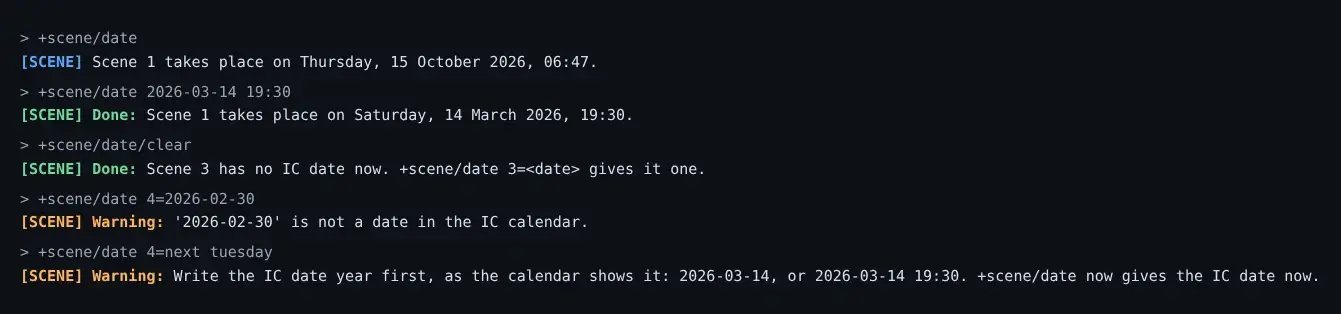
The year is the IC year. A game whose calendar is set 300 years ahead writes 2326-03-14, and the
scene is placed by that date.
Words instead of a date
Section titled “Words instead of a date”+scene/set icdate=<words> changes only the words a scene shows, such as The night of the storm.
The scene keeps its place on the timeline, so a vague date still sorts where it happens:
> +scene/set 2/icdate=The night of the storm[SCENE] Done: Scene 2: IC date is now The night of the storm.+scene/date writes both the words and the place again.
The timeline
Section titled “The timeline”+timeline lists your finished scenes in IC order, earliest first. +timeline <name> lists
another character’s: only the scenes you can see, so a private scene shows only to the people in it.
> +timeline Ilsa==============================< Timeline: Ilsa >==============================IC date Scene WhereSunday, 2 November 2025, 06:15 Before the War Room ZeroSaturday, 14 March 2026, 19:30 Storm at the Docks Room ZeroThursday, 30 April 2026, 21:00 Lanterns on the Water Room Zeronot dated Old Business Room Zero==============================================================================+scene <id> opens a scene==============================================================================Before the War was played after Storm at the Docks, and comes first because it is dated earlier.
Scenes with no date come last, marked not dated.
A page holds as many scenes as fit your screen. +timeline/2 [<name>] shows the second page, and
each page but the last ends with the command for the next. Past the last page:
> +timeline/3 Ilsa[TIMELINE] Warning: There is one page - you asked for page 3.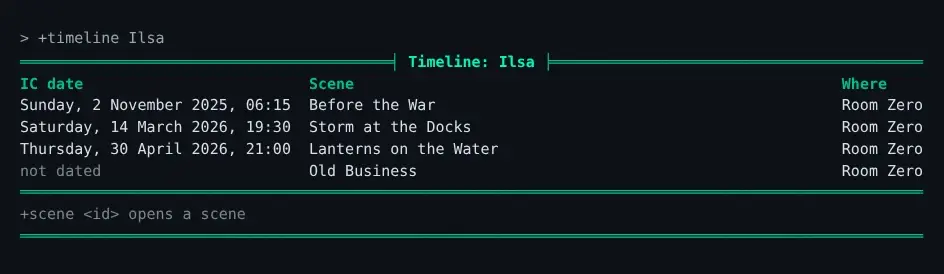
In the portal
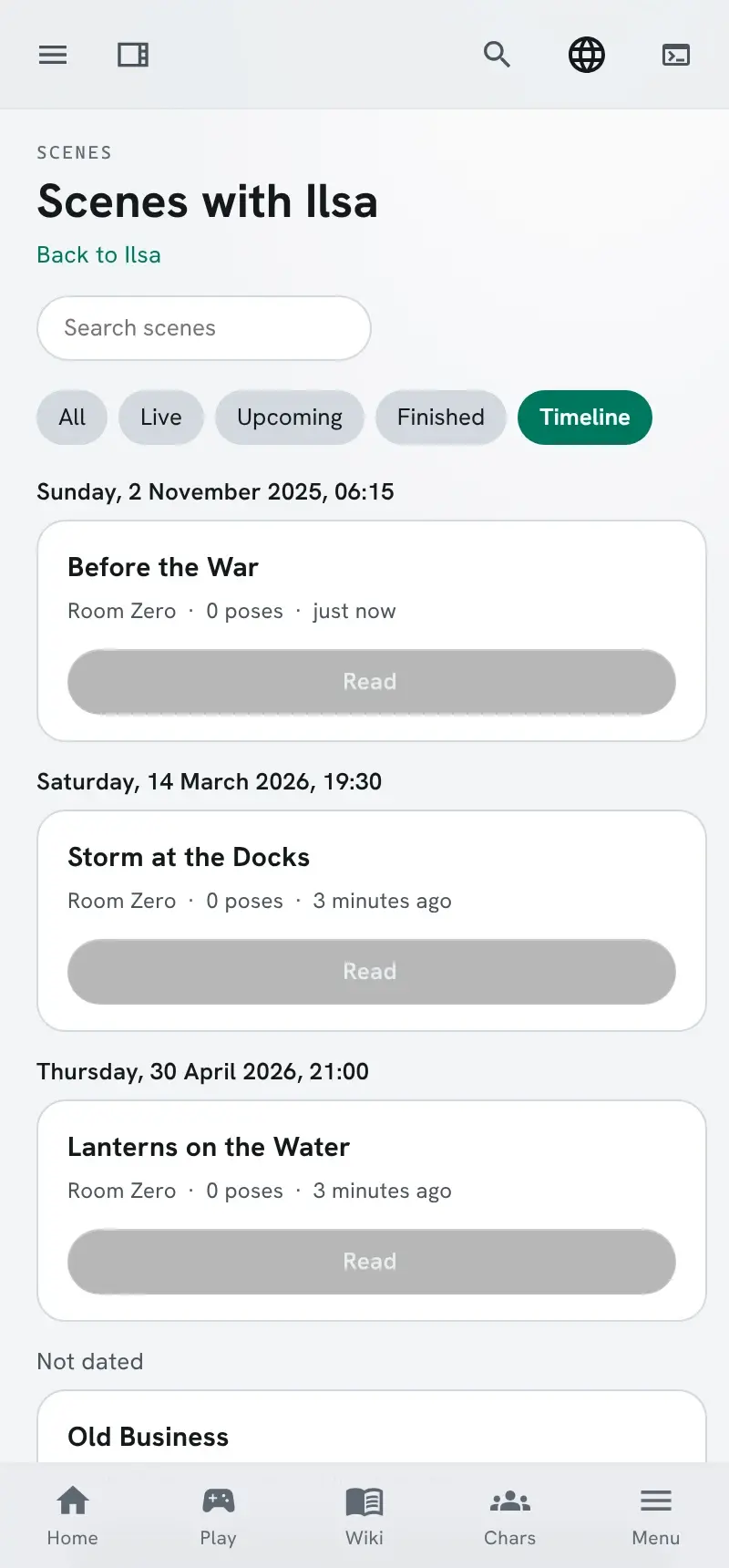
Section titled “In the portal”A character’s scenes page, Scenes with <name>, gains a Timeline chip when the timeline package is installed. It lists the same finished scenes in the same order, each under its IC date:
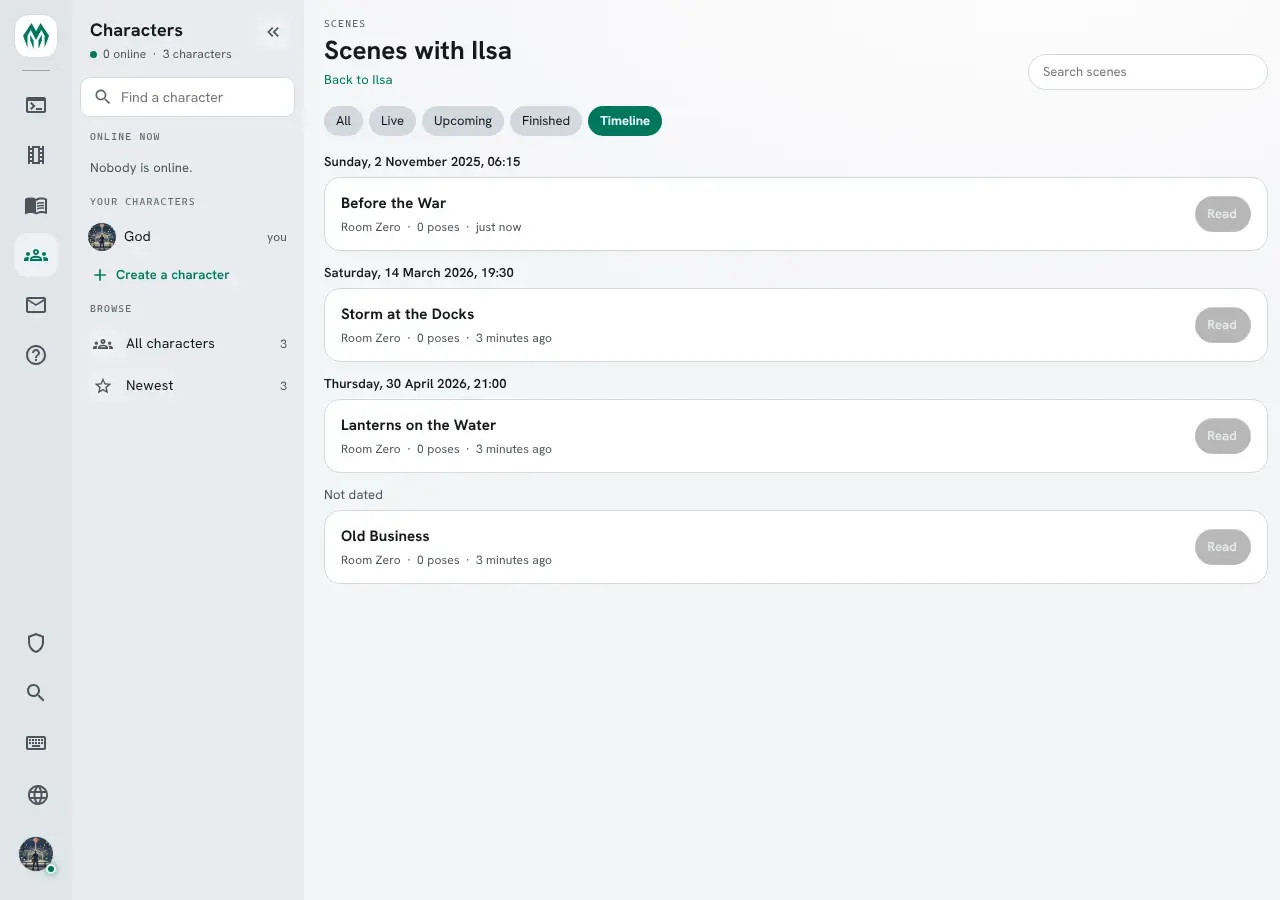
The search box narrows the timeline too. On a phone the dates sit above full-width cards:
Installing and settings
Section titled “Installing and settings”The timeline package ships with the server but is not installed at first boot. Install it from the
portal’s Packages page, or tick it in the setup wizard. It needs scene 1.6 or later, time 1.1
or later, plus-config and the event handler chosen in first-run setup, and installs only while
the Scene plugin runs.
Scenes played before it was installed have no date. They show as not dated until their owners date
them.
+config timeline shows its one setting:
> +config timeline+===========================< Settings: timeline >===========================+| IC dates on scenes and the +timeline list. || || Setting Value Allowed What it does || -------------------------------------------------------------------------- || stamp yes Yes or no Give a scene the IC date when it starts, unless || it has one. |+============================================================================+| +config timeline/<setting>=<value> changes one. |+============================================================================+Turn stamp off when your game’s scenes rarely happen “now”, so each owner dates their own:
> +config timeline/stamp=no[CONFIG] Done: timeline/stamp is now no, was yes.How the date is written, the months’ and weekdays’ names, and the year the calendar adds are the
time package’s settings: +config time. A change to how dates are written applies to dates given
after it; dates already given keep their words.
For coders
Section titled “For coders”A scene’s date is two scene details:
| Detail | Holds |
|---|---|
icdate | The words shown, as the Clock writes the date |
icsecs | The IC moment in seconds, before the calendar’s years are added; hidden, and what the timeline sorts by |
> think scene(1,icsecs)1773516600> think scenedetail(icdate,sort)icsecs> think scenedetail(icsecs,hidden)1icdate names icsecs as its sort, so the portal and api/scenes?sort=icdate order scenes by
the number while showing the words. icsecs is hidden: it never shows in +scene, on a card, or in
a search. Any package can use the same two fields for a detail of its own; see
Listing details.
scenelist(mine,,,<player>) lists another player’s scenes that you can see, as the timeline does.
Acting when a scene starts
Section titled “Acting when a scene starts”The package dates a scene by hearing the SCENE`STATUS event, which the Scene plugin raises
when a scene is made or its status changes. %<scene> is the scene’s id, %<status> its status now
and %<previous> the one before, empty for a new scene. The package’s attribute on the Event Handler:
- ref: event target: "{{$event_handler}}" attributes: SCENE`STATUS`TIMELINE: |- @assert strmatch(%<status>,active); @trigger {{timeline}}/TRIG`STAMP=%<scene>See Events for hearing events from your own package.