
Package Declarations
These are the package.yaml blocks a softcode package uses beside its objects:, each with the
format version that added it. Package Format covers the rest of the
manifest and lists every version.
Roles and permissions (format 1.2)
Section titled “Roles and permissions (format 1.2)”A package can bring the roles and custom permissions its softcode checks, and the categories they
belong to. Declare them beside objects: and set format: 1.2; an older server warns and ignores
these blocks.
format: 1.2package: requestsversion: 1.0.0
objects:  - ref: requests    type: thing    name: Requests
categories:                     # each list optional; every category needs a description  roles:    - name: Requests      description: Roles for working the request queue.  permissions:    - name: Requests      description: Permissions for the request queue.
permissions:                    # custom permissions only, checked with permission() or PERM^ locks  - name: requests.handle    category: Requests          # declared above, or already in the game    description: Work on any request.
roles:  - slug: handler               # what roles() lists and hasrole() takes    name: Request Handler       # optional display name (defaults to the slug)    category: Requests    color: "#4fc3c8"            # optional    priority: 11                # optional, 1-29: always below the wizard role    permissions:                # custom permissions only: allow | deny      requests.handle: allow
A role may allow or deny only custom permissions. Built-in ones (wiki.admin, game.wizard and so
on) are the game’s to hand out with @role, so installing a package never grants staff powers. A
package can’t declare a system role, and a plugin or UI package can’t declare any of these blocks.
- Install. Anything the game doesn’t have yet is created and belongs to the package. Anything the
game already has (a
Staffcategory, ahelperrole) is used as it is; the package never changes or removes it. A role or permission another installed package owns stops the install, as does a role naming a category or permission that neither the package nor the game has. - Upgrade. Each item is compared field by field with what the previous version declared: a field the new version changes takes the new value, and every other field keeps what the game has. So renaming the package’s role, or denying one of its permissions on it, survives an upgrade that doesn’t touch that field.
- Removed items and uninstall. A role nobody holds, a permission no remaining role uses, and an empty category are removed. Anything the game still relies on (a role someone holds, a permission a role still uses, a category with something in it) is kept and stops belonging to the package, so a later reinstall treats it as the game’s own. Removing a permission also clears every account and object override of it.
- Rollback restores objects and attributes only; roles, permissions and categories stay as they are.
Configuration options (format 1.3)
Section titled “Configuration options (format 1.3)”A package can set configuration options, the same ones @config/set sets. Declare them under
settings: and set format: 1.3; an older server warns and ignores the block.
format: 1.3package: messagesversion: 1.0.0
objects:  - ref: messages    type: thing    name: Messages
settings:                       # the option name as @config lists it: its value  messages_object: "{{messages}}"   # a dbref option may name one object ref  noisy_whisper: "yes"          # otherwise, a value @config/set would accept
The option must exist and be one @config/set can change (not a file path, a list with its own
command, or one of God’s options), and a value must be one the option accepts; otherwise the
manifest is refused. A ref is only allowed for a dbref option, and must be the whole value. When the
package is planned, each value is also checked against the live game: a value out of range, or one
the game refuses, stops the plan instead of being adjusted. A plugin or UI package can’t declare
settings:.
The review screen lists each option with its current and new value, and asks for confirmation before applying a package that changes one.
- Install. Each option is set, and the value it replaced is recorded. An option another installed package sets stops the install: uninstall that package first.
- Upgrade. A value the new version changes is set again. A value it leaves alone keeps whatever
the game has now, so an administrator’s
@config/setsurvives. - Removed options and uninstall. The option goes back to the value the package replaced, unless the game has changed it since; then it is left alone.
- Rollback leaves configuration options as they are.
Wiki pages (format 1.4)
Section titled “Wiki pages (format 1.4)”A package can ship wiki pages. Declare them under wiki: and set format: 1.4; an older server
warns and ignores the block. A package whose wiki: is all it has, a content pack such as a
rules reference or a setting primer, may leave out objects:. The coast-guide example in the
SharpMUSH Guide repository (Examples/Packages/coast-guide/) is one.
format: 1.4package: coast-guideversion: 1.0.0locale: en                      # the pages' language; default the game's wiki default locale
wiki: - page: main:coast_road # required: namespace:slug, the page's identity title: Coast Road # required categories: [Travel] # optional: category names file: wiki/coast-road.md # the body: a file inside the package directory... - page: category:travel title: Travel pin: true # category pages only: pin the category to the wiki home file: wiki/category/travel.md - page: main:smugglers title: Smugglers published: true # optional, default true; false ships a draft requires: # optional: what the page itself requires, per action view: [coast.gm] # view | edit | delete edit: [wiki.admin] markdown: | # ...or inline Markdown; exactly one of file and markdown # Smugglers The smugglers use the sea caves below the [[Coast Road|main:coast_road]].pageisnamespace:slug, such asmain:blindedorcategory:conditions. The namespace ismain,helporcategory, in lower case. Biographies (character) and engine pages (system) are the game’s, and a package can’t ship them. The slug is lowercase, with_for a space and no/,#,?or:. Changing either part makes a new page and drops the old one, and a page may be listed once. A category page’s slug is the category’s key:category:lowered_abilitiesis the page of the categoryLowered Abilities.- Links name pages in full. Every wiki link in a page’s text is
[[Display|namespace:slug]]. A bare[[Blinded]], or a title such as[[Help:ORC License Notice]], is an error naming the file and the link. A link to a page outside the package is fine; one that looks like a typo for a page the package ships is a warning. fileis a path relative to the package directory, with/between folders and no... It is UTF-8 text of at most 1 MB, read once when the package is planned, so the review screen and the install see the same text.- Page text is literal Markdown.
{{ref}}tokens are not substituted in it, and softcode does not read it. requiresnames, per action, the permissions a reader needs on top of the wiki’s own rules: a built-in one (wiki.admin) or a custom one, declared in the same manifest’spermissions:or already in the game.localeis the language the pages are written in.
A plugin or UI package can’t declare wiki:. Pages are written as the Package Manager wizard, and
the review screen lists every page with what the install does to it.
- Install. A page the game doesn’t have is created. A page the game already has exactly as the package ships it is adopted without a write. A page the game has otherwise is a conflict: Keep mine (the default) leaves the game’s page alone, and Take theirs writes the package’s page over it. A page another installed package owns stops the plan.
- Upgrade. Each page merges three ways, as attributes do: the body line by line, the title and the published flag as values, and categories, requirements and the pin as sets, so a category staff added stays. When both sides changed the same passage, the review screen shows the clash. A page staff deleted stays deleted unless the new version changed it, which is a conflict.
- Dropped pages and uninstall. A page nobody changed is deleted, and its category is unpinned if the package pinned it. A page staff changed stays as the game’s page.
- Rollback leaves wiki pages as they are; a page’s own history is the way back for its text.
Attribute entries (format 1.5)
Section titled “Attribute entries (format 1.5)”A package can add standard attributes to the game’s attribute table, the one @attribute manages:
the flags every new copy of an attribute gets, and a limit or an enum its values must meet.
Declare them under attributes: and set format: 1.5; an older server warns and ignores the block.
format: 1.5package: jobsversion: 2.0.0
attributes:                     # attribute name: the entry @attribute would make  JOB`STATUS:    enum: [new, staff, player, held, closed]   # as @attribute/enum: a value must be one of these  JOB`TITLE:    limit: '^.{1,60}$'          # as @attribute/limit: a regular expression, any case  JOB`DUE:    enum: [this week, next week, someday]    delimiter: '|'              # choices with spaces need another delimiter  JOB`NOTES:    flags: [wizard, no_command] # default flags, as @attribute/access takes them    retroactive: true           # also give these flags to every copy already on an object
A name is written as @attribute takes it, with ` only between branches. Each flag must be an
attribute flag (help attribute flags lists them; branch can’t be a default). An entry takes a limit or an
enum, not both, because each replaces the other. A plugin or UI package can’t declare attributes:.
After installing jobs above, @attribute JOB`STATUS shows the entry:
@attribute: Information for 'JOB`STATUS' Default flags: none Enum values: new staff player held closedOutput: the entry’s name, its default flags (none here) and the values it accepts. Setting another value is refused:
&JOB`STATUS me=bogusOutput: Value for JOB`STATUS needs to be one of: new staff player held closed.
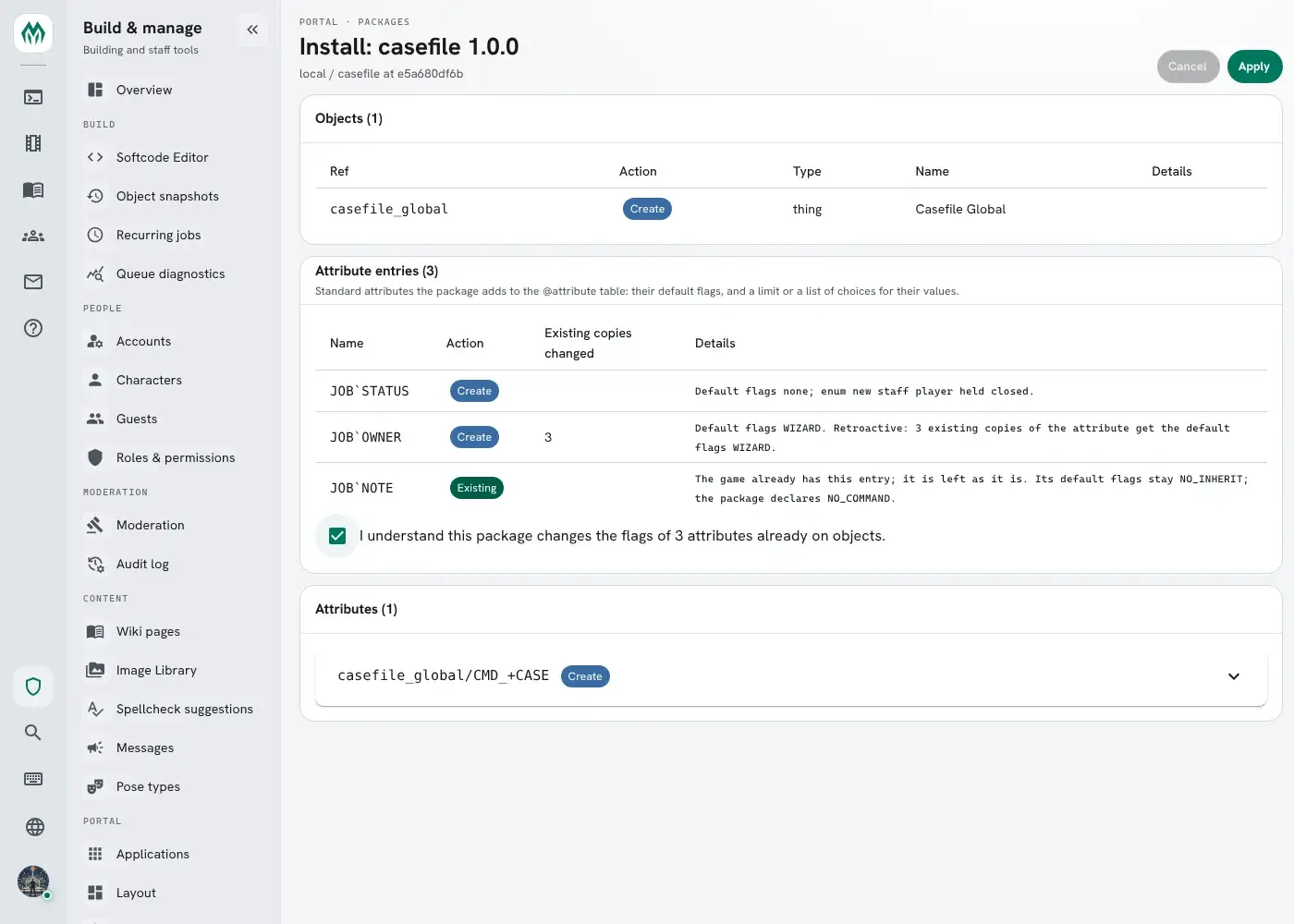
The review screen lists each entry with what the apply does to it, and how many existing copies a
retroactive entry changes.
- Install. An entry the game doesn’t have is created and becomes the package’s. An entry the game
already has is the game’s: the package uses it as it is and never changes or removes it. If its
limitorenumdiffers from the manifest’s, the install stops and says why; different default flags are only noted. An entry another installed package owns stops the install. - Retroactive. Default flags reach new copies of the attribute only. With
retroactive: true, every copy already on an object gets exactly the entry’s flags too, whenever the apply writes them or a new version turnsretroactiveon; owners are left alone. The review screen shows how many copies change and asks for confirmation before applying. - Upgrade. A field the new version changes (the flags, or the limit or enum) takes the new value.
A field it leaves alone keeps whatever the game has now, so an administrator’s
@attribute/accesssurvives. - Removed entries and uninstall. The entry is deleted from the table. Values already stored on objects stay as they are.
- Rollback leaves attribute entries as they are.
Engine version range (format 1.6)
Section titled “Engine version range (format 1.6)”Three keys say which SharpMUSH versions a package runs on. verified_server and maximum_server
need format: 1.6; an older server warns and ignores them.
format: 1.6requires_server: ">=2.0" # the lowest version, with >= or >verified_server: "2.4" # the newest version the author tested onmaximum_server: "2" # the newest version it runs on: every 2.x| Key | Written as | On a server outside it |
|---|---|---|
requires_server | >= or > clauses | Refused: the review screen shows why and Apply stays off |
verified_server | a version | A newer major version warns; the install goes ahead |
maximum_server | one to three numbers | Warns, and Apply waits for Install it anyway |
In maximum_server, the numbers left out match anything: 2 is every 2.x, 2.4 every 2.4.x,
2.4.1 that version alone. A package installed past its maximum is marked Past maximum on the
Packages page, and the audit log records package.past-maximum. Installing a version that fits the
server clears the mark.
Leave maximum_server out unless a SharpMUSH version is known to break the package.
Versioning Packages explains why, and what counts as a breaking change.
Plugins a package calls (format 1.7)
Section titled “Plugins a package calls (format 1.7)”Some commands and functions come from a plugin, not from the engine: @scene,
scenewhere() and the other scene…() functions are the Scene plugin’s. A plugin can be turned off,
fail to load, or not be installed at all, and then those names are not there. A package whose code
calls them names the plugins under plugins:, by plugin id (the id in its plugin.json):
format: 1.7package: scene-verseversion: 1.1.0plugins: [scene]
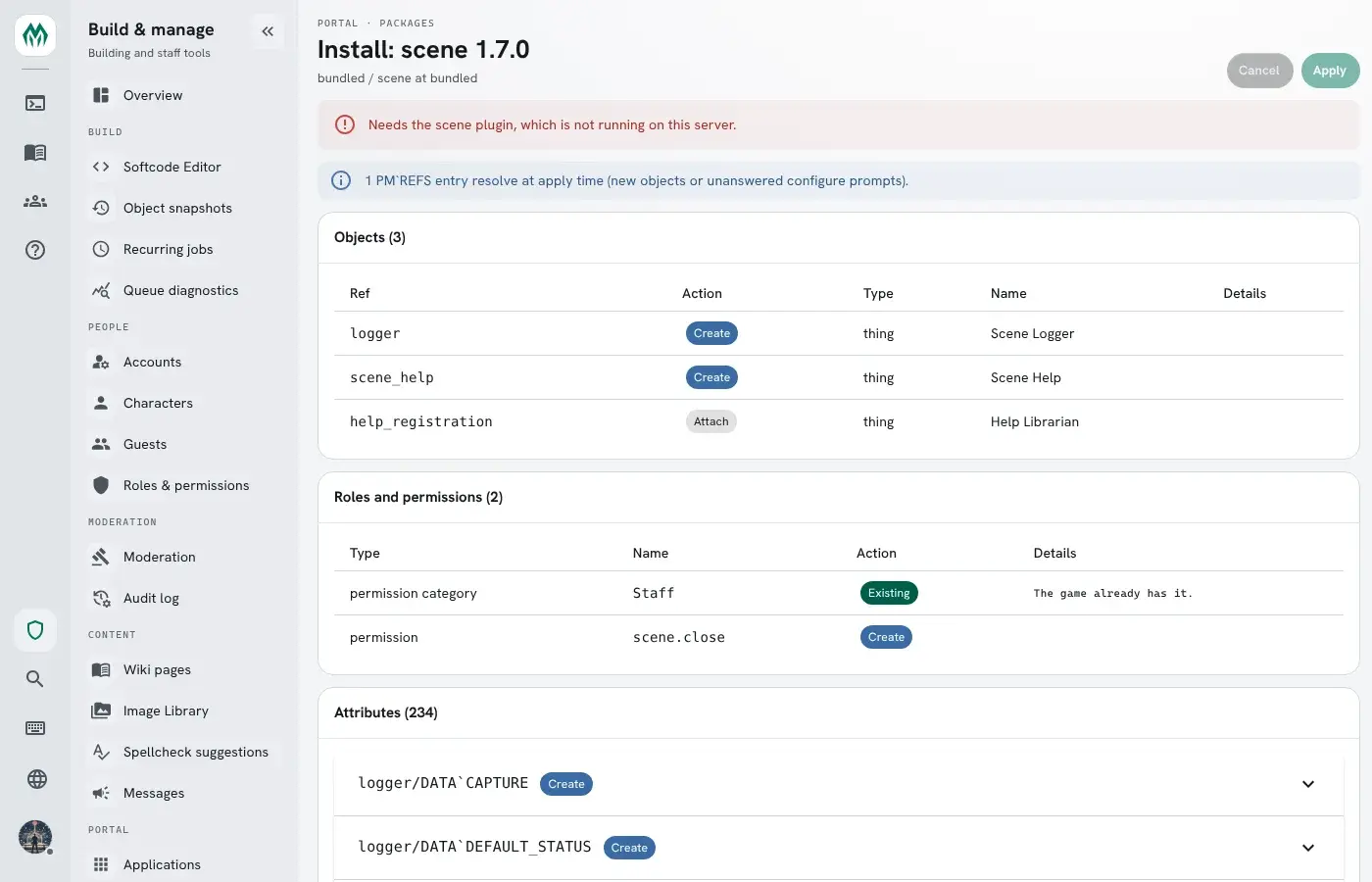
depends: - scene: ">=1.6"- Install and upgrade. The plan is blocked while any plugin it names is not running. The review
screen and
@packagesay which one:needs the scene plugin, which is not running. - Turning a plugin off (the Plugins tab or
@plugin/disable) uninstalls, after a backup and your confirmation, every package that names it, and the packages that depend on those. - Rollback. Rolling a package back puts back the plugins that revision named. A rollback to a
revision whose plugin is not running is refused:
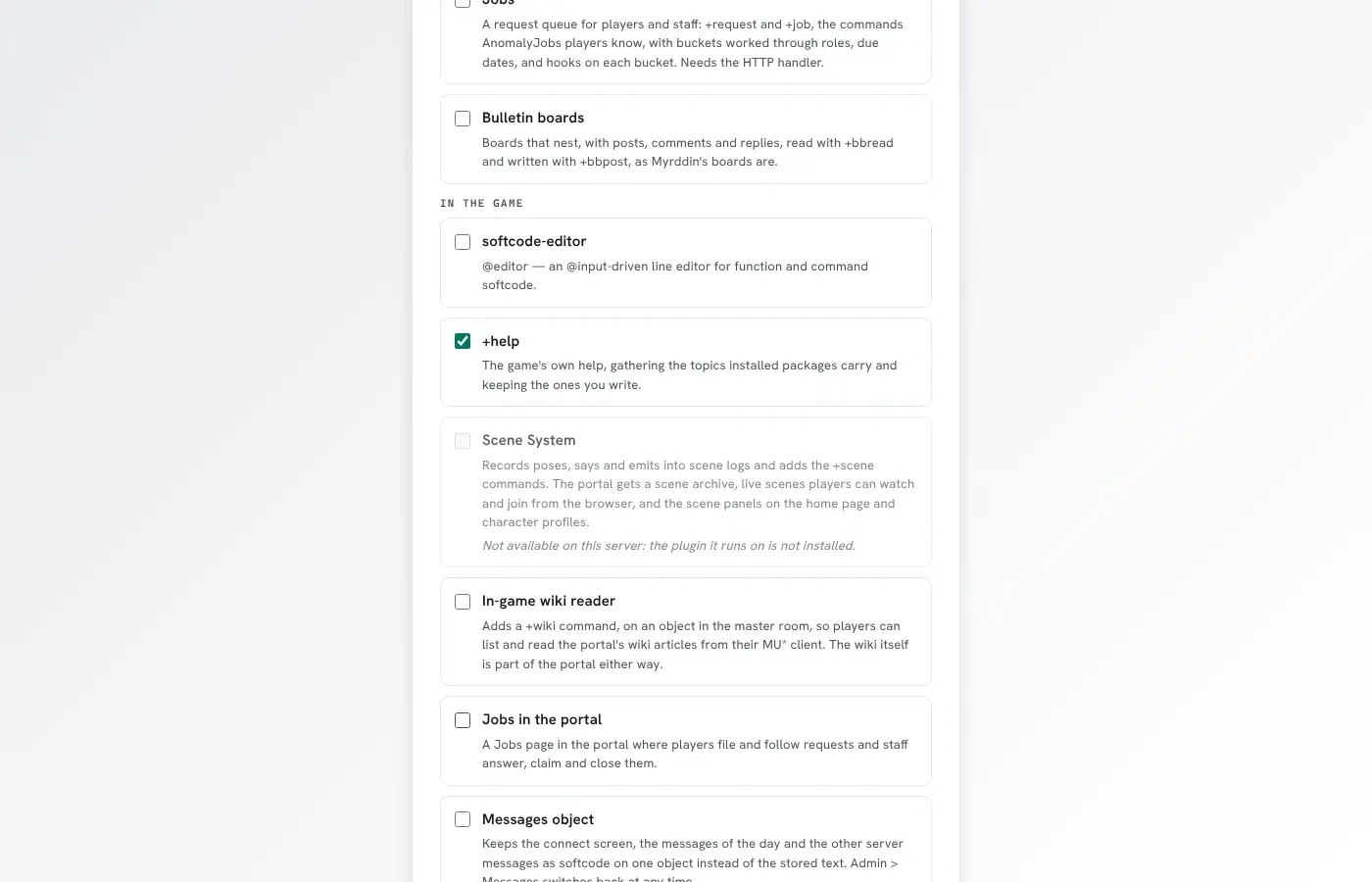
revision 1 needs the scene plugin, which is not running. - The bundled catalogue does not offer a package whose plugin is not running, and a new game does not install it.
Name a plugin here only when the package cannot work without it. Code that only reads a plugin when it
is there, and checks first, needs no entry. The bundled room-contents package does this: it asks
scenewhere() for the room’s scene and treats any #-1 answer, including the one for a function that
does not exist, as no scene.
Attribute indexes (format 1.8)
Section titled “Attribute indexes (format 1.8)”An attribute entry can carry an index:, so the package’s code can find objects by the attribute’s
value with indexed() or lsearch()’s INDEX class instead of searching every object.
Attribute Indexes explains what an index does. Set format: 1.8; in an
older manifest index: is ignored with a warning.
format: 1.8package: casebookversion: 1.0.0
attributes:  CASE`STATUS:    enum: [open, held, closed]    index: true                 # text without case, whole values, every object  CASE`LEVEL:    index: numeric type:thing   # the option words, as @attribute/index takes them  CASE`TAGS:    index: [exact, "split:|"]   # or the same words as a list
index: false is the same as no index:. The options are exact, numeric, split or
split:<delimiter>, and type:<type>.
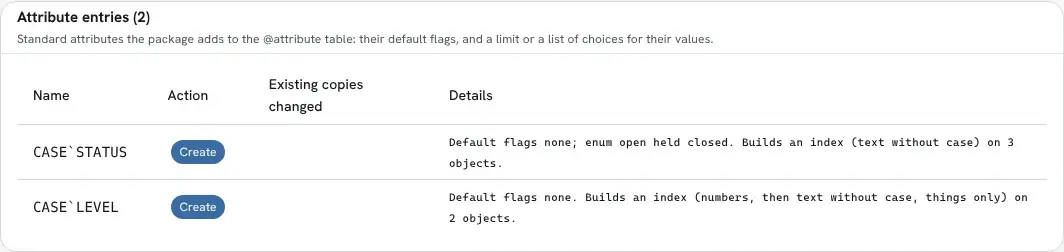
- Install. The review screen says how many objects each index builds over. The index is built in
the background after the apply; until it is ready,
indexed()answers#-1 INDEX BUILDING. If the game already has the attribute, it must already have the same index, or the install stops and names the@attribute/indexline that fixes it. - Upgrade. The index is merged like the entry’s other fields: a version that changes
index:changes the index, and one that leaves it alone keeps whatever the game has now. - Removed entries and uninstall. The entry is deleted with its index.
Attribute watches (format 1.9)
Section titled “Attribute watches (format 1.9)”An attribute entry can carry a watch:, as @attribute/watch sets one: whenever a copy of the
attribute on any object is set, cleared or wiped, the event handler runs its attributes matching
the pattern, with the object, the attribute, the old and new values and the enactor as %0-%4.
Set format: 1.9; in an older manifest watch: is ignored with a warning.
format: 1.9attributes: HP: watch: truewatch: true is the default pattern, WATCH`<name> WATCH`<name>`*, so the package’s handler is an
attribute such as WATCH`HP`<package> on the event handler. Otherwise give the pattern as a string
of space-separated attribute wildcards, or as a list. false is the same as no watch:.
- Install. If the game already has the attribute, it must already have the same watch, or the
plan stops and names the
@attribute/watchline that fixes it. - Upgrade. The watch is merged like the entry’s other fields.
- Removed entries and uninstall. The entry is deleted with its watch.
Category (format 1.10)
Section titled “Category (format 1.10)”category: names the group a package belongs with, in the words people read. The setup wizard lists
the bundled packages under their categories, so a game picks its scene packages together and its staff
tools together. Set format: "1.10", quoted so that YAML tools do not read it as 1.1. In an older
manifest category: is ignored with a warning.
format: "1.10"package: jobs-appversion: 1.0.3category: Staffcategory: is optional. A category is one name of up to 40 characters, and runs of spaces in it
become one. Packages that share a category, ignoring case, are listed together, and one with no
category is listed under Uncategorized, last. Within a category, a package that needs another package of the same category is
listed under it: jobs-app comes under jobs.
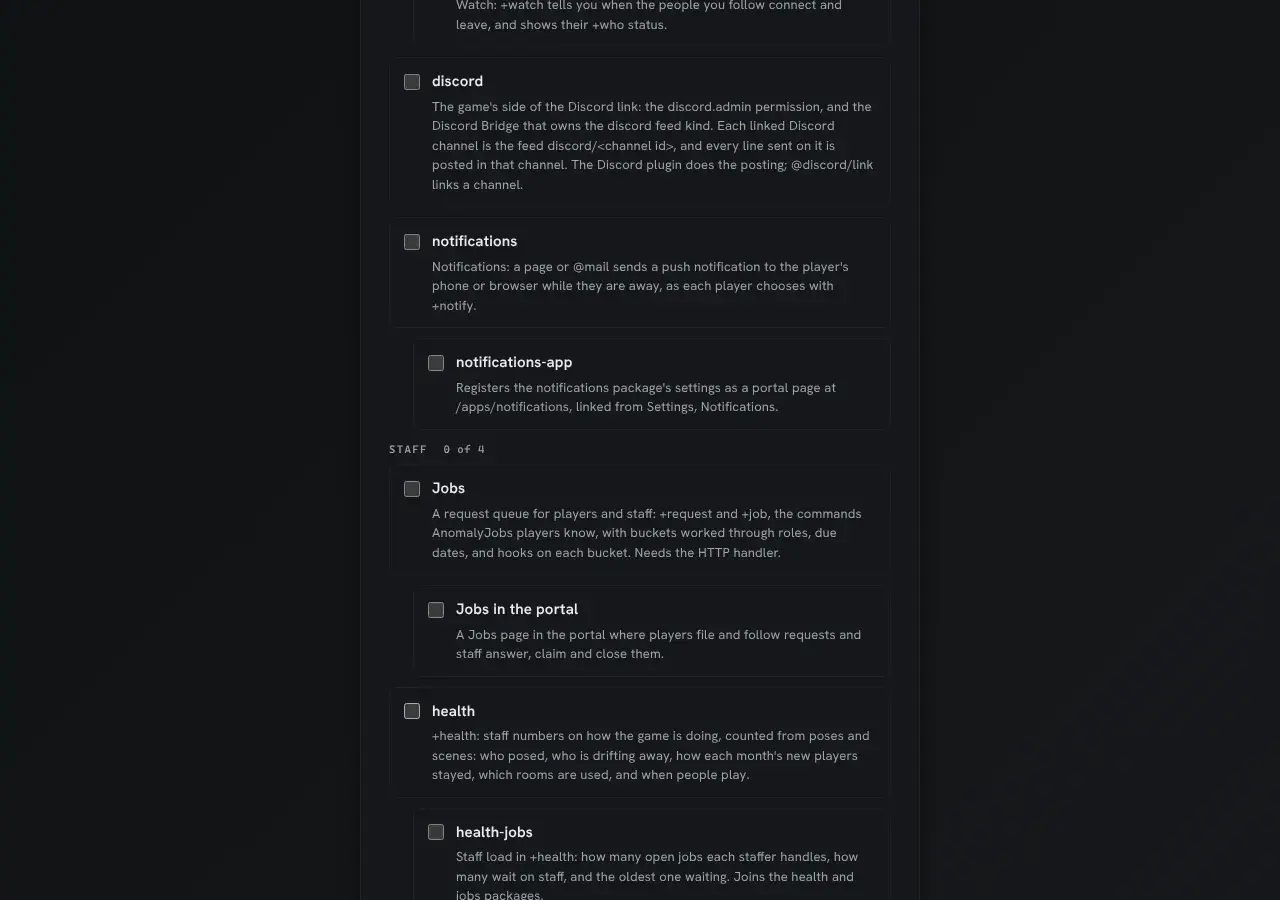
The categories the bundled packages use are listed in Softcode Packages.