
Signing In with Discord or Google
Players can sign in to the web portal with an account they already have somewhere else: Discord, Google, Microsoft, Grapevine or GitHub. A new player presses Continue with Discord, picks a username, and has an account with no password to set or forget. A player who already has an account can link a service to it and then use either.
This page covers:
- Signing in
- Linking a service to your account
- Accounts with no password
- Playing from a MUD client
- Setting up a service
- Worked example: Discord
- Google, Microsoft, Grapevine and GitHub
- What the game keeps
Signing in
Section titled “Signing in”Once staff have set a service up, the sign-in page shows a button for it under the password form. With one or two services, each has a full Continue with button. With three or more, they share one row of logo buttons, and the service you used last in this browser keeps a full button above the row, marked Last used. Hover over a logo, or use a screen reader, to see which service it is.
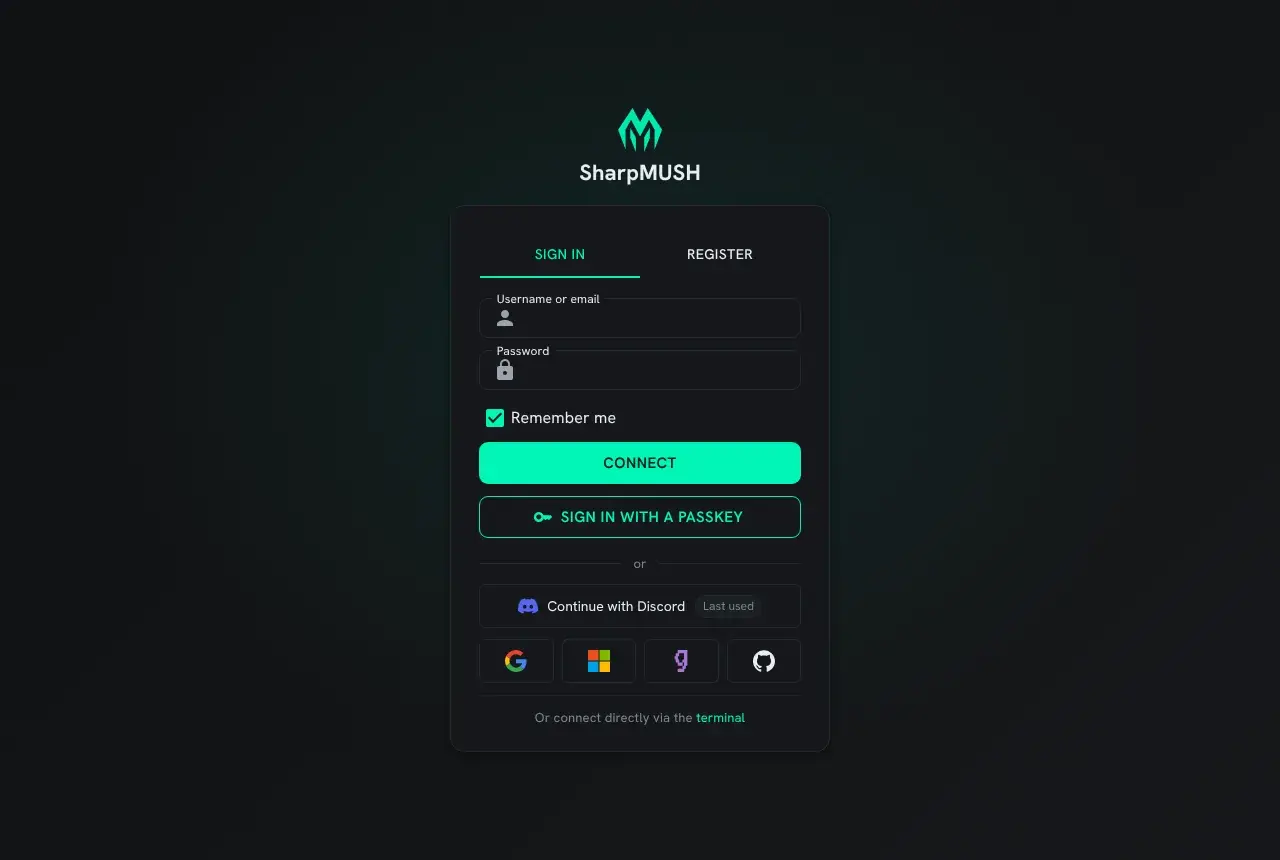
The button sends you to the service, which asks you to allow the game to see who you are. When you allow it, the service sends you back.
- If an account here already signs in with that service account, you are signed in to it.
- If none does, the portal asks you to choose a username. Create account makes the account; Cancel makes nothing.
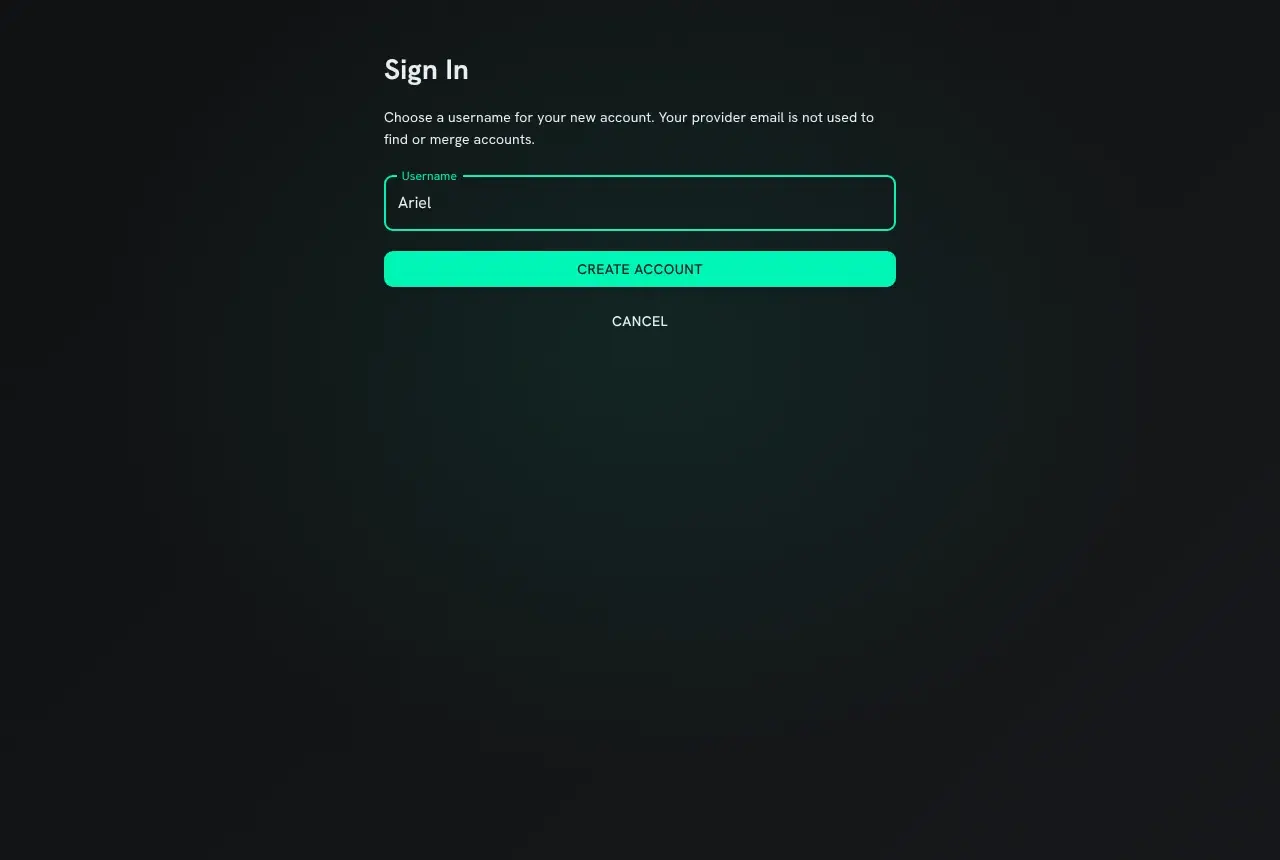
Sitelock, bans and the player creation setting apply exactly as they do to password sign-in.
Linking a service to your account
Section titled “Linking a service to your account”Your account page has a Sign-in methods card with one row for each service the game offers. A row has a Link button, and under it each account you have linked from that service, with an Unlink button.
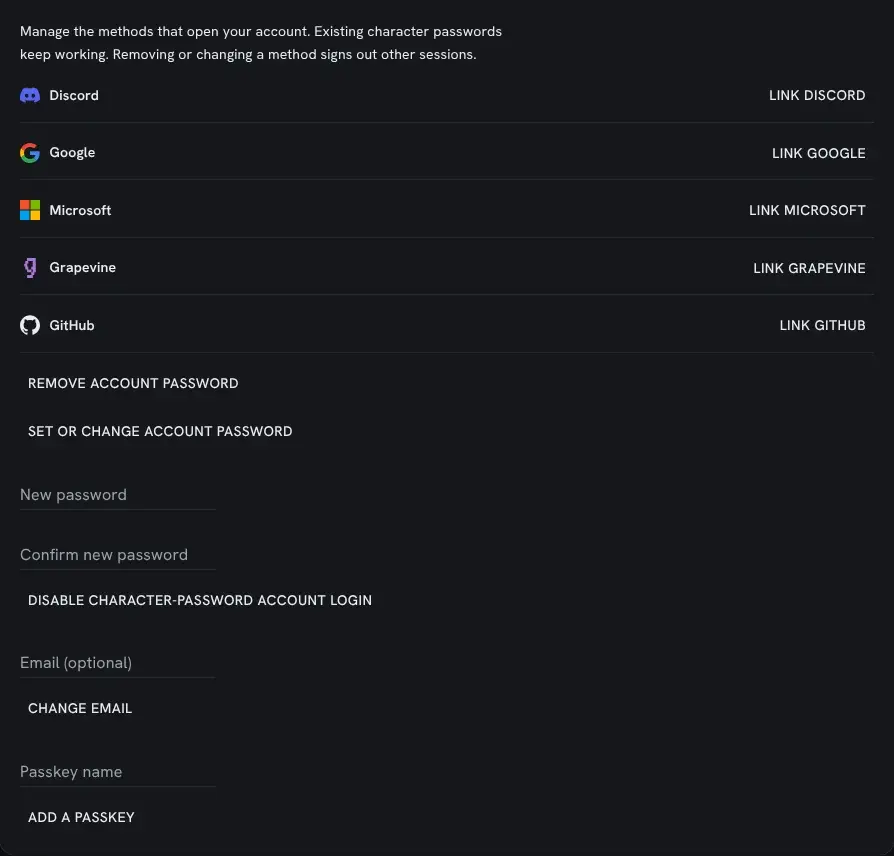
Linking, unlinking and every other change on this card first asks you to prove it is you, once, for that one change. You can prove it with your account password, a passkey, or by signing in again with a service already linked. A remembered login does not count, and neither does a character’s password.
A service account can be linked to one account here at most: if it is linked to another one, linking is refused. You can link more than one account from the same service, for example two Discord accounts.
Accounts with no password
Section titled “Accounts with no password”An account made through a service has no account password. It can add one later from the Sign-in methods card, along with passkeys and other services.
The portal will not take away the last way into an account. Unlinking the only service, or removing the only passkey or password, is refused until you add another way in. A service counts only while staff have it turned on, so it is worth adding a second way in before you need it.
Playing from a MUD client
Section titled “Playing from a MUD client”Signing in with a service is for the portal. A MUD client still connects to a character. An account with no password has two ways to do that, both from the character list on your account page:
- Generate one-use login makes a
connectcommand to paste into your MUD client. It works once, for that one character, and expires after two minutes. Make a new one each time you connect. - Set character password gives that character a password of its own, which works with
connectas any character password does. It does not change your account’s sign-in.
Both ask you to prove it is you first.
Setting up a service
Section titled “Setting up a service”You need the config.admin permission. Open Admin, then Configuration, and choose the
service’s sign-in page under Applications, or open /admin/config/signin/<service> directly:
discord, google, microsoft, grapevine or github. Every service starts turned off.
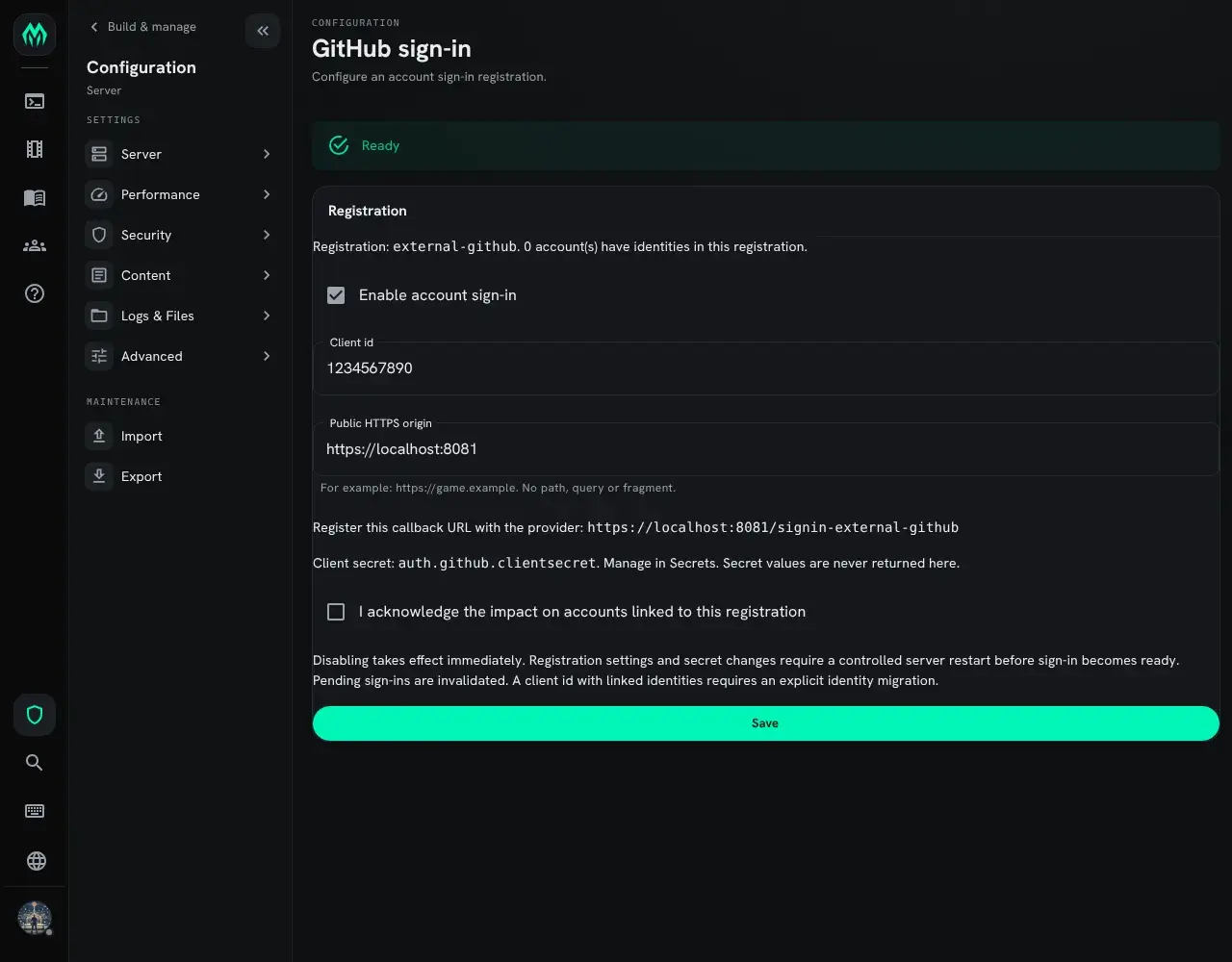
- Enable account sign-in turns the service on. Turning it off takes effect at once.
- Client id is what the service gives you when you register the game with it.
- Public HTTPS origin is the address players reach the game at, such as
https://mush.example.com, with no path after it. - The page shows the callback URL to give the service: your origin followed by
/signin-external-<service>. - The client secret is not typed here. Store it on the Secrets page under the name the page
shows,
auth.<service>.clientsecret. Grapevine needs no secret.
After you save, or change a secret, restart the server. The page says Ready once the restarted server can use the service, and says what is missing if it cannot.
A client id cannot be changed while accounts are linked through it, because a service can give the same person a different id under another client. When a change affects linked accounts, the page asks you to tick the box acknowledging it before it saves.
Worked example: Discord
Section titled “Worked example: Discord”-
Open
https://mush.example.com/admin/config/signin/discord. Typehttps://mush.example.comas the public origin, and copy the callback URL the page shows:https://mush.example.com/signin-external-discord -
In the Discord Developer Portal, create an application. Under OAuth2, add the callback URL under Redirects and save.
-
On the same OAuth2 page, copy the Client ID. Press Reset Secret and copy the Client Secret.
-
Back on the sign-in page, paste the client id, tick Enable account sign-in, and press Save.
-
Open Secrets, set
auth.discord.clientsecretto the client secret, and restart the server. -
Open the sign-in page again. It says Ready, and the portal’s sign-in page has a Continue with Discord button.
The game asks Discord for identify only, so it learns the player’s Discord id and username and
nothing else.
Google, Microsoft, Grapevine and GitHub
Section titled “Google, Microsoft, Grapevine and GitHub”Each service is set up the same way: register the game with the service, give it the callback URL, and enter the client id here and the secret on the Secrets page.
| Service | Where to register | What the game asks for |
|---|---|---|
| Google Cloud console, Google Auth Platform: fill in Branding first, then under Clients create a client of type Web application, with the callback URL under Authorized redirect URIs | openid profile | |
| Microsoft | Microsoft Entra admin center, App registrations: add the callback URL as a Web redirect URI, and make a client secret under Certificates & secrets | openid profile |
| Grapevine | Your game’s settings on Grapevine, with the callback URL as the redirect address. No secret: do not reuse the Grapevine chat secret | profile |
| GitHub | GitHub Settings, Developer settings, OAuth Apps: the callback URL is the Authorization callback URL | No scope. The game reads only the player’s public profile |
A new Google app starts in Testing, where only the accounts listed under Audience as test
users can sign in. Add yourself there to try it, then press Publish app on the same page before
players use it. The game asks only for openid profile, so publishing needs no review from Google.
For GitHub, register a new OAuth app just for signing in. If a player once gave an existing app wider access, GitHub gives the game that same access, even though the game asks for none. The game still reads only the profile and throws the token away.
Microsoft has two more fields. Audience chooses who may sign in: common for personal and work
or school accounts, organizations for work or school accounts only, consumers for personal
accounts only, or one organization’s tenant id. Allowed tenants can narrow it to a list of
tenant ids. Choose the same kinds of account the app registration supports.
What the game keeps
Section titled “What the game keeps”For each link the game keeps which service it is, the service’s id for the person, the name the service gave, and when the link was made and last used. It keeps no token from the service, asks for no email, and never uses a service’s email to find an account.
A service’s client secret is stored encrypted with the server’s data protection keys. Back those keys up with the world: a world restored without them cannot read its secrets, and every service needs its secret set again.