
Moderation
When a player causes trouble, staff can warn them, disconnect them, or ban their account. A ban covers the whole account, so every character on it is shut out together. Names and sites can be blocked before anyone connects. Each of these actions is written to the audit log, whether it was taken in the portal or in the game.
The Moderation page, @boot and @sitelock need the players.moderate permission, which the
moderator and wizard roles hold. @account, banned names in the portal and the portal’s sitelock
editor are for wizards. See Staff Roles and Permissions.
The examples follow Pip, a character on the account Pellow.
On the Moderation page
Section titled “On the Moderation page”Build & manage, Moderation (/admin/moderation) puts the common actions in one place:
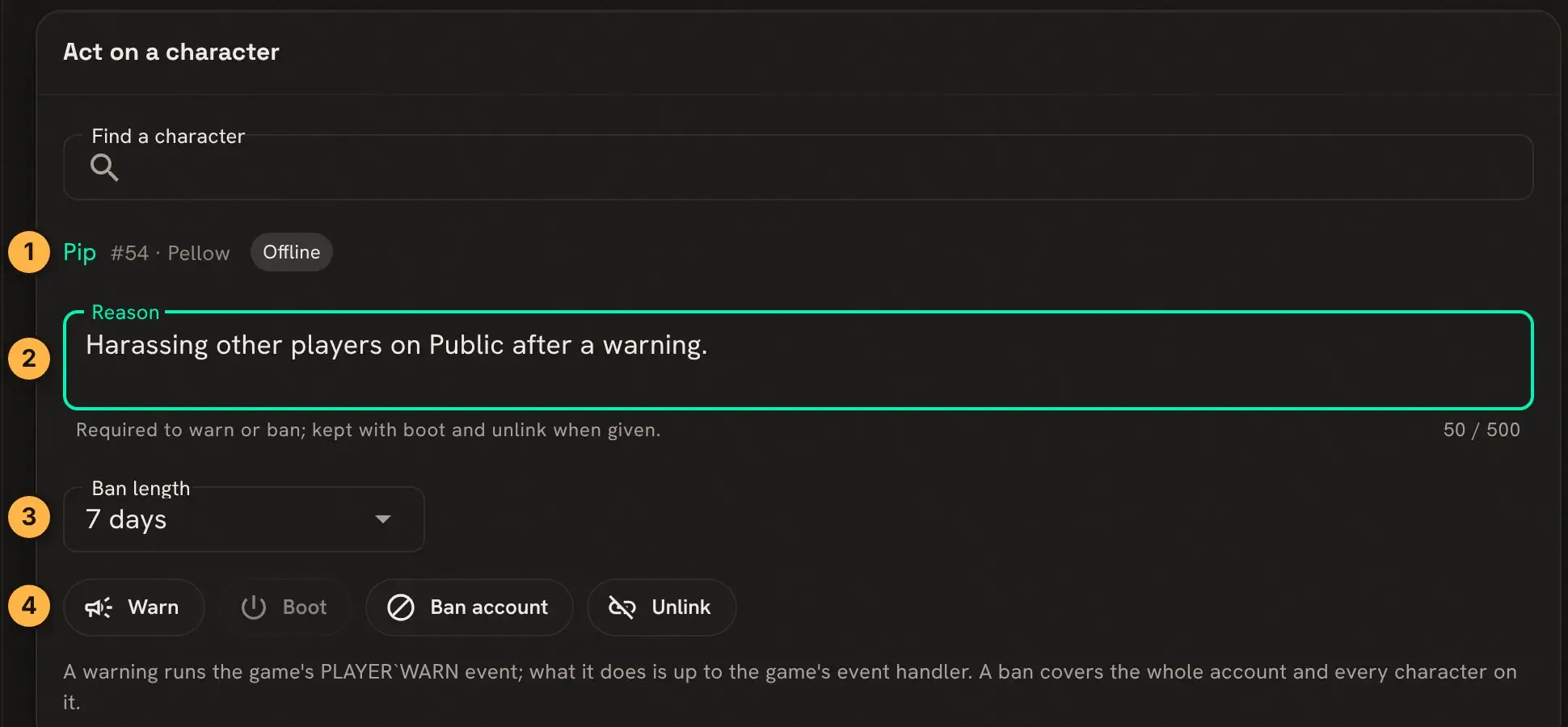
- Find the character by name. The line shows its account and whether it is online.
- Write a reason. Warn and Ban need one, and it goes into the audit log.
- Choose how long a ban lasts: 1, 3, 7 or 30 days, or Until lifted.
- Act:
- Warn runs the game’s
PLAYER`WARNevent. What a warning does is up to the game’s event handler. - Boot closes the character’s most recent connection. It is only available while they are online.
- Ban account signs out the account and every character on it, and keeps them out until the ban ends.
- Unlink takes the character off its account.
- Warn runs the game’s
A banned player who tries to connect is told how long the ban lasts:
This account is banned until 2026-11-20 09:35 UTC.Banned accounts, lower on the page, lists every ban with its reason, who set it and when it ends. Lift ban there ends one early.
In the game
Section titled “In the game”The same work has commands, for staff who stay in a MU* client.
@boot *Pip closes Pip’s most recent connection at once. Pip can connect again straight away, so
pair it with a warning or a ban.
A wizard can also turn an account off. @account/disable keeps it out until @account/enable
lets it back in, and signs out the account’s characters at once:
> @account/disable PellowAccount 'Pellow' disabled; active sessions revoked.> @account/enable PellowAccount 'Pellow' enabled.Pip, trying to connect while it is disabled, gets This account is disabled.
@account Pellow shows an account and its characters, and @account/list every account with its
state.
Blocking names
Section titled “Blocking names”@sitelock/name stops anyone from taking a name, for a new character or by renaming one. * and ? work as wildcards:
> @sitelock/name Grief*Name Grief* locked.A player who then tries create Griefer ... is told That name is not allowed. Wizards, and a player
who already has the name, are not affected. @sitelock/name !Grief* lifts it, and @sitelock/name lists
them. The portal edits the same list at Banned names (/admin/config/bannednames).
Blocking a site
Section titled “Blocking a site”@sitelock/ban refuses connections, new characters and guests from a host or address:
> @sitelock/ban *.badhost.exampleA pattern can be a wildcard, an IP address or a range such as 10.0.0.0/8. Connections the new rule
blocks are dropped. @sitelock lists the rules, and @sitelock/remove *.badhost.example deletes one.
help @sitelock covers the finer options, such as allowing connections but not new characters. The
Moderation page shows the rules under Host bans, and Manage the sitelock edits them.
The audit log
Section titled “The audit log”Audit log (/admin/audit) lists staff actions, newest first, with who took each one, whether in
the portal or the game, and its details:
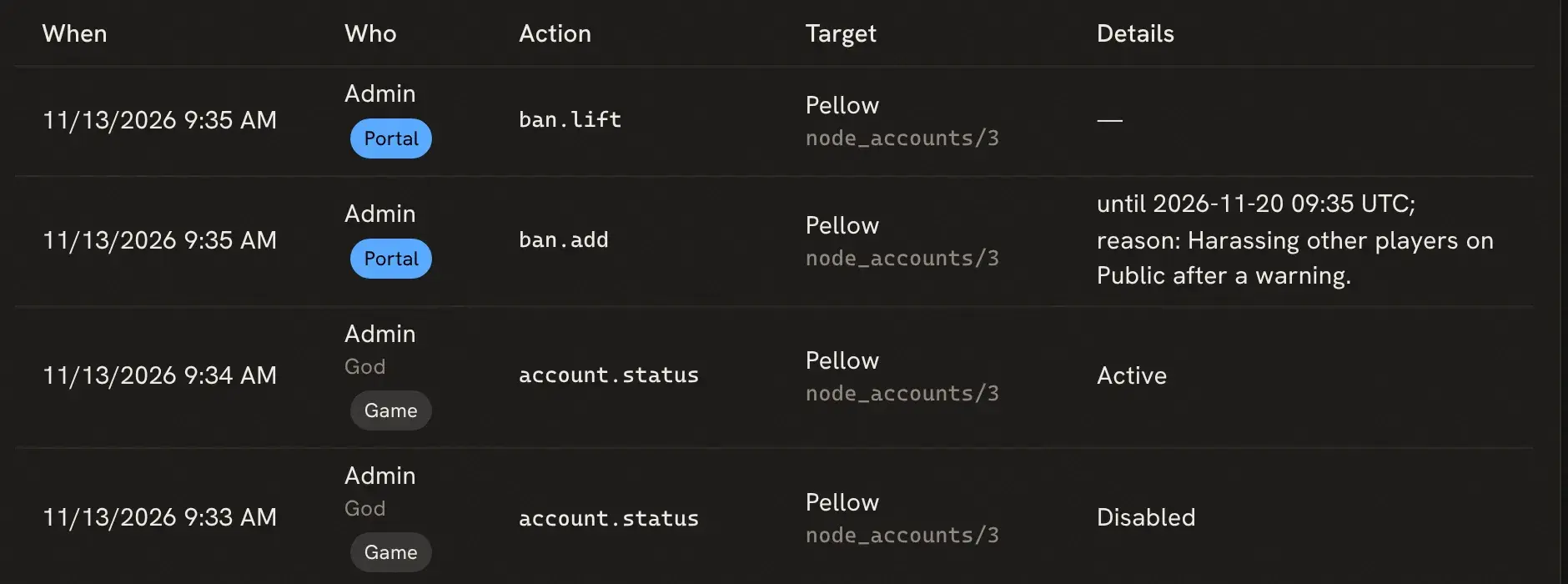
Filter it by action, by who acted, by words in the target or details, or by date.
Next steps
Section titled “Next steps”- Staff Roles and Permissions to decide who can moderate.
help @sitelock,help @accountandhelp @bootin the game.