Moving a RhostMUSH or TinyMUX Game
SharpMUSH imports a RhostMUSH or TinyMUX game, keeps its objects and softcode, and rewrites the code that would read differently here. This page lists everything the import does to such a game. Plan the move itself (rehearsal, checks, cutover and rollback) with the migration guide; the import is one step of it.
| You want to | Read |
|---|---|
| know which files to upload | What to upload |
| know what comes across | What comes across |
| see what the import changes in softcode | What the import rewrites |
| know which settings it turns on | Settings the import turns on |
| find a TinyMUX or RhostMUSH command SharpMUSH names differently | Commands under a dialect |
| know what is not supported | What is left out |
| check the result | Checking the import |
What to upload
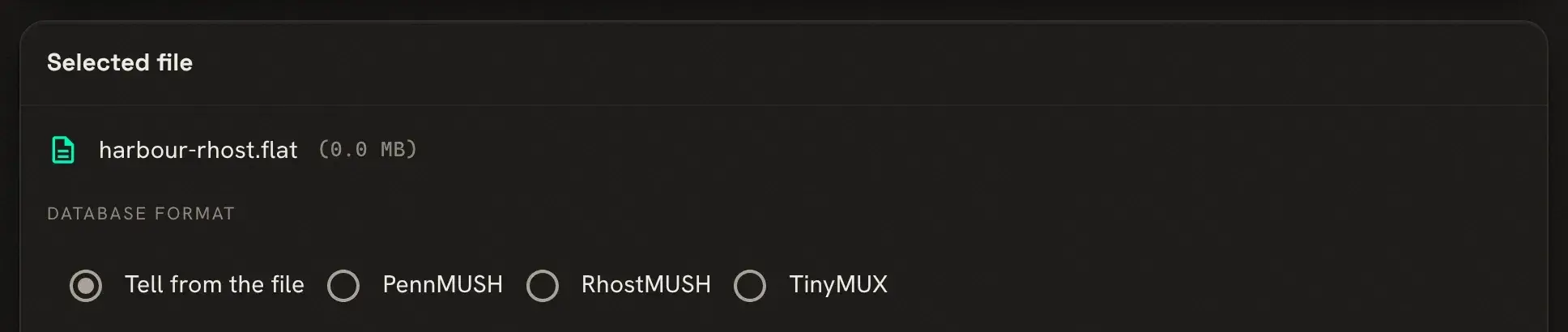
Section titled “What to upload”The import page (Admin > Database import, /admin/import) tells the formats apart from the file’s
contents, and you can choose the format there if it guesses wrong.
| Game | Database | Channels | Configuration | |
|---|---|---|---|---|
| RhostMUSH | the flatfile @dump/flat writes | .dump.mail from wmail/unload, with .dump.folder in the mail folders slot | not imported (see below) | netrhost.conf |
| TinyMUX 1 to 2.13 | the flatfile | mail.db | comsys.db in the chat slot | netmux.conf |
| TinyMUX 2.14 | game/data/netmux.sqlite | inside the database | inside the database | netmux.conf |
Upload the files the configuration includes, such as alias.conf and compat.conf, in the slot beside
it. The database, mail and chat files may be gzipped.
TinyMUX 2.14. netmux.sqlite holds the game, its mail and its channels, so it is the whole upload.
TinyMUX writes recent changes to netmux.sqlite-wal first, and the import reads only the main file. Stop
the game cleanly before you copy it. If netmux.sqlite-wal is still there and not empty, run
sqlite3 netmux.sqlite "PRAGMA wal_checkpoint(TRUNCATE);" in game/data with nothing else using the
database.
RhostMUSH without a flatfile. If all you have is a stopped game’s native backup (netrhost.db with its
QDBM or MDBX cache files), the RhostExport tool in the SharpMUSH repository turns it into the flatfile and
mail dumps the import reads. It supports RhostMUSH’s default cache layout on Linux x64. It is run from a
SharpMUSH source checkout (tools/RhostExport), and it needs RhostMUSH’s dbconvert exporter and a matching
profile, built from the one RhostMUSH revision the tool supports; the tool’s README gives the steps.
What comes across
Section titled “What comes across”- Objects keep their numbers, names, owners, parents, zones, locks, attributes and creation times.
- Flags become SharpMUSH’s where one matches. Most with no match are kept as a flag of its own, so
hasflag()still finds them; the import report lists any that are dropped. - RhostMUSH toggles become flags of their own, so
@toggleandhastoggle()keep working. - Staff. A wizard gets the
wizardrole. RhostMUSH’s royalty is a wizard here too. RhostMUSH’s staff levels become roles of their own, each just above the role with the same rights:guildmasteraboveplayer,architectabovebuilder,counciloraboveroyaltyandimmortalabovewizard. The setup wizard’s staff step offers these levels for a RhostMUSH game. - Powers become permissions. A TinyMUX power such as
control_allbecomes the permission it stands for. A RhostMUSH power becomes a permission held by that object alone, reaching as far down the staff levels as its level did, and a depower becomes a denied permission. - RhostMUSH totems become roles named
totem-<name>, in a Totems category. They grant nothing; softcode tests them withhasrole(). - RhostMUSH reality levels become reality layers when
netrhost.confnames them.rxlevel(me,Umbra)still reads. - RhostMUSH tags come across, so
#weatherstill names the same object. - Passwords keep working. Each player’s stored password is checked at login and replaced with SharpMUSH’s own form the first time they connect. A password that is empty, or stored in a form SharpMUSH does not recognise, needs a new password from a wizard; the import report lists those players.
- Mail comes across, in RhostMUSH’s folders when the folder dump is given.
- TinyMUX channels come across with their members, and each player’s comsys aliases become
CHANALIASattributes. RhostMUSH’s stock channels are softcode, which comes across with the objects that hold it.
A RhostMUSH cluster is merged into its first object, which takes the custom attributes the others held. An object here holds up to 100,000 attributes, so the cluster is not needed.
What the import rewrites
Section titled “What the import rewrites”Each rewrite is listed in the import report, with the object and attribute. Code built at run time (a command name or function name made by a function) cannot be seen by the import and is left as written.
Colour codes
Section titled “Colour codes”%c and %x colour codes become ansi(), because in SharpMUSH %c is the last command and %x an
attribute. A code that is built at run time, such as %c0X[printf(...)], is removed, and the report
warns about each attribute it was removed from; colour that text again with ansi().
Before: A shiny widget%r%xbBlue text%xnAfter: A shiny widget%r[ansi(b,Blue text)]RhostMUSH character codes such as %<065> become the character (A), and literal timefmt() formats
become SharpMUSH’s.
Attribute names
Section titled “Attribute names”SharpMUSH attribute names refuse some characters, such as :, (, ) and spaces. The import renames such an attribute, changing each
character it refuses to _, and rewrites the code that names it in full. A name that would then clash
with another gets _2, _3 and so on.
MERIT.LANGUAGE_() becomes MERIT.LANGUAGE____MERIT.ALLIES_(STREET CRIME) becomes _MERIT.ALLIES__STREET_CRIME_When the old name looks like a function call, such as NAME(), the attribute is renamed but code is not
rewritten for it, since every call of that function would match. The report lists these; search for
them by hand.
On TinyMUX and RhostMUSH, the hook’s code is an attribute on the game’s hook_obj, and @hook/before look
only turns the hook on. SharpMUSH’s @hook names the object and attribute, and the bare form clears a
hook. The import writes each one out in full, here with hook_obj #12:
@hook/before look becomes @hook/before look=#12,B_LOOK@hook/before/after look becomes @hook/before look=#12,B_LOOK;@hook/after look=#12,A_LOOK@hook/igswitch look becomes @hook/extend look=*@hook/permit/clear look becomes @hook/permit lookHooks the configuration file turned on at startup are added to God’s STARTUP, because SharpMUSH keeps
hooks only while it runs. If the configuration names no hook_obj, the commands are left as written and
the report says so.
@femit, @fpose and @fsay
Section titled “@femit, @fpose and @fsay”These become @force, which evaluates the message as the one forcing, as TinyMUX does:
@femit Lackey=sweeps [name(me)]. becomes @force Lackey=@emit/noeval sweeps [name(me)].@fpose Lackey=bows. becomes @force Lackey=pose/noeval bows.RhostMUSH commands
Section titled “RhostMUSH commands”In command code ($-commands, ^-listens and attributes that start with @, &, {, think or
wmail), RhostMUSH commands that SharpMUSH spells differently are rewritten:
| RhostMUSH | SharpMUSH |
|---|---|
join Bob | @teleport me=[loc(pmatch(Bob))] |
grab %0 | @teleport [pmatch(%0)]=here |
@freeze 123, @thaw 456 | @queue/pause 123, @queue/resume 456 |
@thaw/del 456 | @halt/pid 456 |
@zone/add #3=#2, @zone/del #3=#2 | @chzone/add #3=#2, @chzone/remove #3=#2 |
@lfunction double=me/DOUBLE | @function/local double=me,DOUBLE |
@dynhelp history/lesson | @pemit %#=[textfile(history,lesson)] |
wmail/wipe Jerk | @mail/debug clear=Jerk |
@totem %#=Shiny !Dull | @role/assign %#=totem-shiny;@role/unassign %#=totem-dull |
A join or grab aimed at a pronoun such as him, or at text that is not one name, dbref or
substitution, is left as written without a note, so search for those by hand.
RhostMUSH functions
Section titled “RhostMUSH functions”RhostMUSH functions whose arguments differ from SharpMUSH’s are rewritten as the SharpMUSH call that
gives the same answer, among them ljc(), rjc(), streq(), ncomp(), nummatch(), pedit() and
medit(). RhostMUSH’s tag() becomes tagref(), because SharpMUSH’s tag() writes an HTML tag. The
totem functions become role tests:
hastotem(%#,Shiny) becomes hasrole(%#,totem-shiny)andtotem(%#,shiny !dull) becomes and(hasrole(%#,totem-shiny),not(hasrole(%#,totem-dull)))ltotems(%#) becomes iter(roles(%#,Totems),after(##,totem-))A call that cannot be rewritten safely is left as written and listed under check by hand: for
example ljc() with a function call for its width, which the rewrite would run twice. totems(),
listtotems() and the other totem functions with no role form are listed the same way.
Settings the import turns on
Section titled “Settings the import turns on”The import sets the game’s dialect to mux or rhost, and turns on the
compatibility settings that game’s softcode
expects. The report lists each one. The dialect decides how typed commands and attributes without a
dialect flag are read: under mux and rhost, strlen(a,b) is 3, as on those servers, and under
rhost, %-n and %+! mean what RhostMUSH means. An attribute can carry its own dialect with the
mux or rhost attribute flag. See compatibility dialects.
Runs of spaces in evaluated text are squeezed to one, as on PennMUSH and a stock TinyMUX or RhostMUSH game.
If the old game’s configuration turned space_compress off, importing that file turns it off here too.
The TinyMUX Softcode and RhostMUSH Softcode guides explain each setting.
Commands under a dialect
Section titled “Commands under a dialect”Some TinyMUX and RhostMUSH commands have no PennMUSH equivalent, or would clash with a PennMUSH
abbreviation (@last sets the LAST attribute on PennMUSH). Each has its own name, which works
everywhere, and the old name works under the dialect:
| Under the dialect | Its own name | Dialect |
|---|---|---|
@last | @dialect_last | both |
@program, @quitprogram | @dialect_program, @dialect_quitprogram | both |
@icmd | @dialect_icmd | both |
@email | @dialect_email | mux |
@addcommand, @delcommand, @listcommands | @dialect_addcommand, @dialect_delcommand, @dialect_listcommands | mux |
@query | @dialect_query | mux |
@folder | @mux_folder | mux |
@site, @flagdef, @progreset | @rhost_site, @rhost_flagdef, @rhost_progreset | rhost |
The dialect also maps commands SharpMUSH has under another name, such as RhostMUSH’s @sudo
(@force/inplace) and @reboot (@restart), and each server’s own abbreviations, such as @pe for
@pemit.
What is left out
Section titled “What is left out”Some RhostMUSH and TinyMUX functions, commands and switches are left out on purpose: those that reach the
host machine, manage the old server’s own storage, or have a SharpMUSH counterpart that works differently.
Imported code that calls one gets #-1 FUNCTION (<NAME>) NOT FOUND or Huh?, and the import report
names each use. The full list, with what to use instead, is
compatibility left out.
Also not imported: destroyed objects, money, flags and toggles SharpMUSH has nothing for, attribute numbers the flatfile does not name, and exits whose destination is not an object, HOME or a variable destination (they are left unlinked).
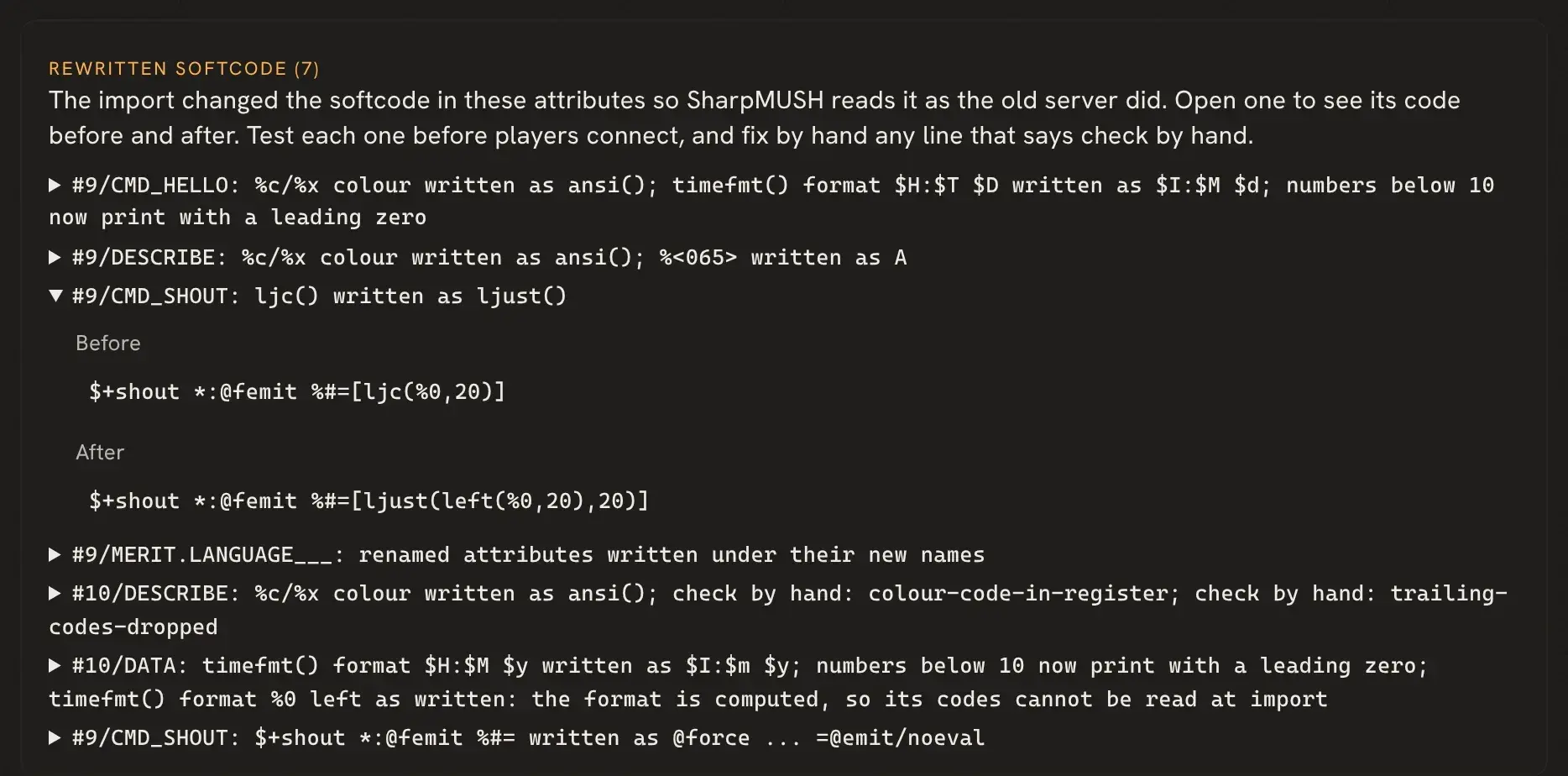
Checking the import
Section titled “Checking the import”When the import ends, the import page lists every rewritten attribute under Rewritten softcode. Open a line to see the code before and after. A line marked check by hand gives the reason; fix those before players connect. Download import log saves the whole report, including every rewrite, as a text file. The migration guide shows the page and the log.